The competition to grab prospects’ attention is fiercer than ever before, and email marketers need to stand out more than ever and know the key to that is personalization and drawing upon a prospect’s interests and preferences to craft anengaging email. This requires theproper use of dataand knowing the right way and time in which to send to a prospect.
In other words, it’s about making your emails more deliverable.
You have your data and have sifted through it to find the most salient points and derived the most significant insights. Using this information, you have written a beautiful email with catching, concise copy and an eye-striking design. You have a strong call to action and an intriguing subject line.
However, before you hit send and hang up your light saber for the nonce, you have to consider a few things.
Is your email something your recipient would even want or be interested in? And, are you sending it at an appropriate time, one in which makes it more likely to be opened?
The surest way to develop a bad reputation as an email marketer is to send unwanted emails. Such a bad reputation can harm your brand, as more people might get wind of what you are doing and not want any of your emails, even if they are pertinent to their interests. Having a bad email marketing reputation can even create a negative impression of the rest of your marketing as well as your brand’s products and services.
How do you avoid this then? How do you make sure that the people you are sending to might be interested?
Consider how they have interacted with your brand.
Have they:
Signed up for your newsletters?
Given you their contact information to access some gated content?
Filled out a survey for you?
Signed up for a webinar, trade show, or other event you are involved in?
Downloaded one of your whitepapers or ebooks?
Followed you on social media? Liked or shared your posts?
Have done business with you before?
These are all good signs. They indicate interest in your brand. If someone has taken one of the actions above or indicated some type of interest in your brand, then they have likely given you their email address and perhaps some other contact information or information about them, their position, business, and the industry they are in.
Since they have shown interest and given you their email, you can send to them. If you’re looking to get them to open your emails and click through on them, then you want to personalize the email content as much as you can so that it’s tailored to their preferences. If it speaks more directly to them, you’ll have a better chance of catching their attention, holding it, and spurring them to some type of action (such as downloading an asset, signing up for an event, visiting a webpage, and so on).
Who Doesn’t Want Your Emails?
Even if someone indicates interest in your brand, you don’t want to barrage them with too many emails. You definitely do not want to send them an email that isn’t personalized and features nothing of interest for them. Those are good ways to make someone want to unsubscribe.
If someone unsubscribes or indicates that they are longer interested in your emails, honor that request. Take them off your list. In fact, it’s a good idea to update your list every so often to check to see if the recipients on it still want to be on it. One day, they may be interested in your brand again, but maybe they won’t be if you leave a bad taste in their mouths by sending them unwanted emails.
Send Times and Other Considerations
How many emails do you want to send in a month? You don’t want to send too many as to annoy your recipients, but you also want to keep in touch. Some businesses like to send an email every week and others less frequently.
At what times do you want your emails to go out? Someone might not want an email too early in the morning, especially if the notification wakes them up. They might not like it coming later on at night when they are off work and at the gym or with their family and friends.
So, when is the best time to send?
And what is the best copy to use? What is the best design, subject line, headline, and call to action?
There is no right answer. In fact, it will be different for everyone, as different businesses will have different audiences and needs.
How can you find out what works for you and your business?
Again, you should turn to your data. Consider A/B and multivariate testing. The results will tell what your recipients are responding to, even which send times and email frequency are working with them.
The Allure of the Dark Side
However, the temptation is great to just send out a bunch of emails at a lot of different times. You might think that sending out that many will at least get some results and not care if it irritates anyone, as they aren’t opening the emails or clicking through, anyway.
You might not care to prune your list and keep sending emails to everyone on it, whether they want the emails or not, as you think they’ll just delete the emails if they don’t want them. In fact, you may even have come across someone’s email through means other than them offering it to you and still using it to email them, even when they’ve shown no sign at all of wanting any marketing messages from you at all. But, you never know, right?
This approach is basically taking a hammer to things when a scalpel (or light saber) would be better. Digital marketing is all about getting even the smallest details correct in personalizing content and making sure it goes to where it’s wanted. Sending emails to whomever without a care won’t gain you anything but a bad reputation. It is a lazier approach and won’t lead to better results and will do long-term damage to your reputation and brand. It might even eventually affect your ROI.
Similarly, your recipients are entrusting you with their emails and personal information. They care counting on you not to abuse or misuse it. Some marketers and people they have done business with before may have, and that makes people wary of doing business with anyone. Therefore, many businesses have taken the step of telling people upfront what they will be using their information for, as to assuage their fears and keep in them in the loop.
This is why you should properly manage your email lists, honor unsubscribes, and only send emails to those who have showed continued interest. If you come across someone’s information in any other way than them giving it to you, do not use it. In the end, it will only make things more difficult and negatively impact your brand and business.
Email marketers have to consider mobile. Everyone checks their email on their phones, tablets, and other devices. Your competition has taken it into account. Have you? See what you can do to take better advantage of the mobile channel with this “Mobile Email Guide.”
from Oracle Blogs | Oracle Marketing Cloud https://ift.tt/2GyPegr
via IFTTT
Think about your current landing page and ask yourself, “If I were to take my headline and put it on several other brands’ webpages, would it still apply to other businesses? In other words, is my landing page headline generic or specific?
Let’s take the following headline from a healthcare webpage as an example: “WE WANT TO HELP YOU”
How can we change this headline to make it more specific and unique to the services being offered?
This is just one of many thought exercises Flint McGlaughlin and his participants worked through together in a recent interactive session on web design.
Watch the replay to get insight into important page elements like determining your ideal customer — demographic vs. decision profiling, and the dangers of having more than one objective on your page.
Next week, Flint will continue the discussion, sharing tips on good page flow (layout), personality (look and feel) and customer connection.
You can download a copy of the infographic and use it as a template for creating your own web designs grounded in customer psychology. And we hope you’ll join us in the following weeks to come on YouTube Live as we show you how to use this framework to think about your page systematically in order to achieve consistent conversion lifts.
Millennials represent a major demographic in today's' marketplace, 35 percent of the American labor force, with a combined annual spending power of $600 billion. Yet many well-established brands have encountered difficulties engaging younger cohorts. Some brands, in fact, attribute recent declines in market shares to millennial pushback over what the generation perceives as corporate inauthenticity.
Connecting with this massive, social-savvy demographic requires a revolutionary approach to email strategy. “One-size-fits-all” emails are no longer enough, nor is traditional list segmentation. To understand the inevitable future, we need to look closer at why so many millennial-targeted campaigns fall flat.
Why Are Millennials So Discriminating?
Millennials grew up on the internet and are engaged with their mobile and wearable devices 24/7. They expect a seamless omnichannel experience that flows across every screen in their lives, and they’re jaded from long-term exposure to digital marketing. A discouraging 84 percent of millennials reported outright disliking advertising. Only one percent said that advertisements strengthen their trust in a brand.
How do we account for this resistance? Finances form one piece of the puzzle. Millennials make $10,000 less per year on average than their Boomer predecessors did — and a tighter budget necessitates cautious spending habits. But a deeper factor is also at play here: authenticity.
Millennials resent being marketed to by brands that haven’t invested the time to understand their aesthetics and aspirations. They expect to be recognized as unique individuals, not reduced to anonymous points on a sales chart.
The world of social media has accustomed millennials to a highly personalized, “always-on” experience — and when a brand’s outreach fails to hit the right notes at the right moments, a hard-won customer relationship can instantly evaporate.
Conversely, millennials respond strongly to “authentic,” personalized brand interactions. This expectation of authenticity isn’t just a defining characteristic of the millennial mindset — it’s the beating heart that lies at the core of their every purchase decision.
A More Discriminating Generation Demands a More Discriminating Approach
A full 63 percent of millennials prefer email updates to other online advertising methods. Yet email open rates have declined in recent years, leading some to argue that email marketing is obsolete. How do we reconcile these data points?
While millennials respond well to someemail marketing, the crux is that they’re also very discriminating about which emails they actually open.
That means retailers must evolve beyond “one-size-fits-all” email campaigns, whose cadences and content are the same for all subscribers. This approach results in irrelevant, impersonal emails arriving at the wrong times — falling flat on the engagement meter, and often never getting opened.
The reason traditional email marketing approaches often fail to engage millennials is that they can come across as impersonal and inauthentic. Millennials value meaningful personal connections — and the only way to deliver those connections at scale is with an automated personalization solution.
Machine Learning Personalization Allows for Next Level Campaign Automation
An individually personalized email for every customer is the holy grail, but as your subscriber list climbs into the millions, manual personalization quickly becomes impossible. Even when lists are segmented, marketers still face the challenge of sending out “best guess” emails to large swaths of customers whose tastes seem to be related — and that’s always a gamble.
Machine learning personalization solves the problem behind these problems.
With the right combination of multi-party data and customized guardrail rules, an automated personalization solution does far more than just segment your list — it pulls from a pre-approved library of creative assets aligned with your brand’s voice to generate a unique email for every individual subscriber.
Well-trained models learn from every interaction, too, allowing them to evolve along with the customer’s changing tastes, and delivering increasingly smarter, more relevant, better-targeted emails that guide customers toward your highest-value product categories.
Instead of bombarding subscribers with generic advertisements, automated machine-learning personalization actively helps each member of your audience discover the products they’re looking for — plus the ones they haven’t even realized they want yet. This adaptive marketing approach creates magical moments of meaningful connection at every stage of the customer journey. And those moments are crucial, because customer acquisition costs significantly more than selling to customers whose loyalty you’ve already won.
To win back millennials’ trust, companies need to engage their subscribers in ways that don’t feel generic or insincere. And to do that, they need to leverage machine learning to build personalized, automated email campaigns. The next generation of intelligent automation solutions assemble and deliver content tailored for every individual subscriber — at just the moment when it’s most likely to connect and convert.
Authenticity helps you form a stronger bond with your audience. Forging a human connection makes all the difference. Find out more by reading “Being Human: How H2H Marketing Forges Strong Customer Relationships.”
We do everything on our phones these days, from shopping to browsing social media and managing our businesses.
This is why it’s more important than ever to optimize the user experience to keep people on your app for longer periods, enjoying it more, and sharing it with friends.
If you’re trying tooptimize your mobile app, I’m sure you’ve already tinkered with the layout, fonts, copy, and more, but there’s one thing you probably haven’t…
Mobile deep linking.
It’s a small detail that can drastically enhance how users engage with your app but few are taking advantage of it.
That’s why I’m going to be teaching you what mobile deep linking is,whyyou need it, and how you can implement it yourself.
Let’s dive in.
What is mobile deep linking, anyways?
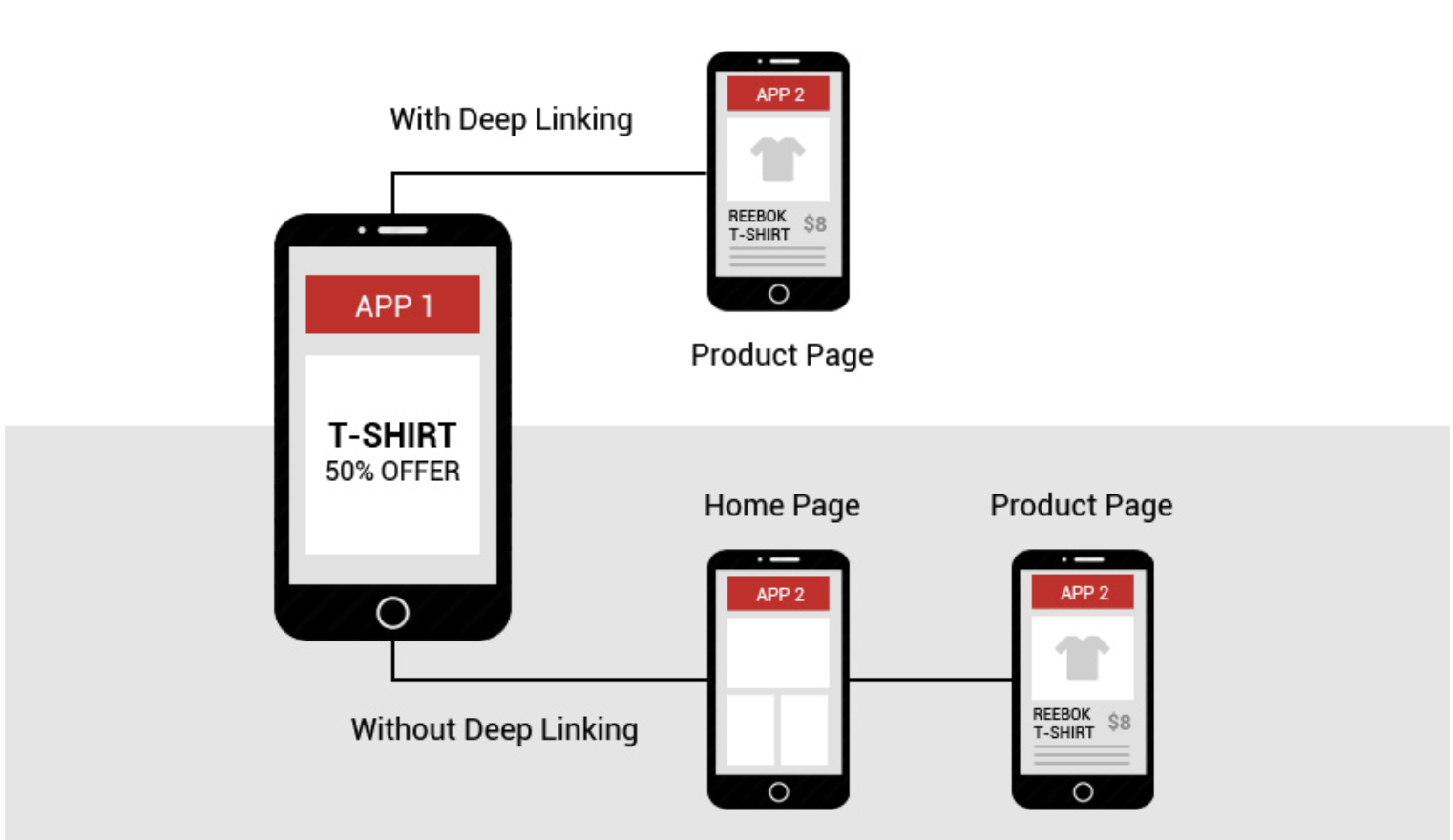
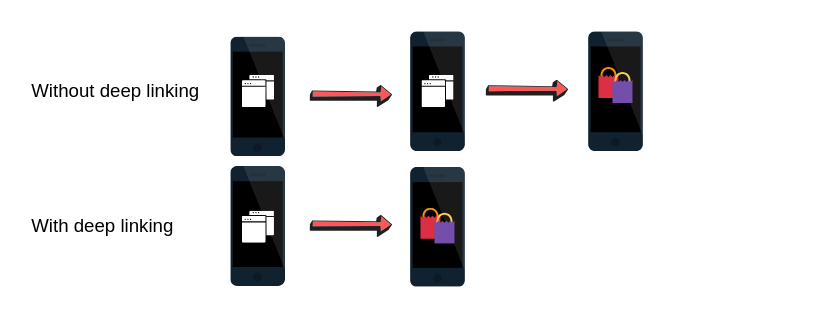
Mobile deep linkingis the practice of funneling users deeper into your app through the use of auniform resource identifieror URI for short.
This allows mobile app developers to push to a specific page within an application versus simply opening it.
Think of it as a website URL.
If you were trying to sell a product, would you want users landing on the homepage or being forwarded to a sales page found deeper in the website?
The latter, of course.
By helping users go to a certain page within an app, you’re making the customer journey easier by getting them closer to the end goal sooner.
While it might seem simple, mobile linking comes in three different forms that you need to be aware of. They include the following:
Standard deep linking
This is the straightforward deep linking that forwards a user to a specific part of the app. It’s also known as universal linking.
It only works if the customer already has the app installed.
The problem is within traditional linking is that when a user clicks a link, it won’t open the mobile app, but rather directs them to the browser version.
If someone is on a mobile device, the app version will always be more optimized and streamlined.
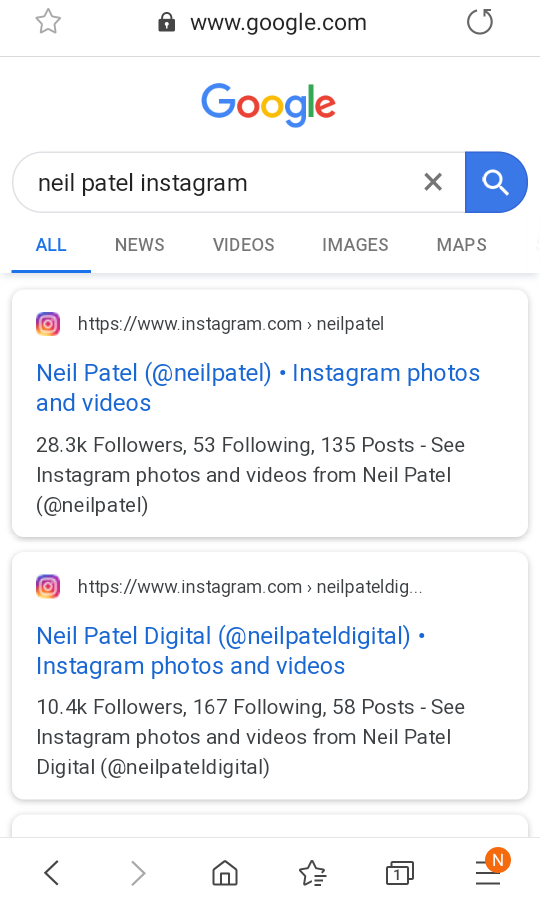
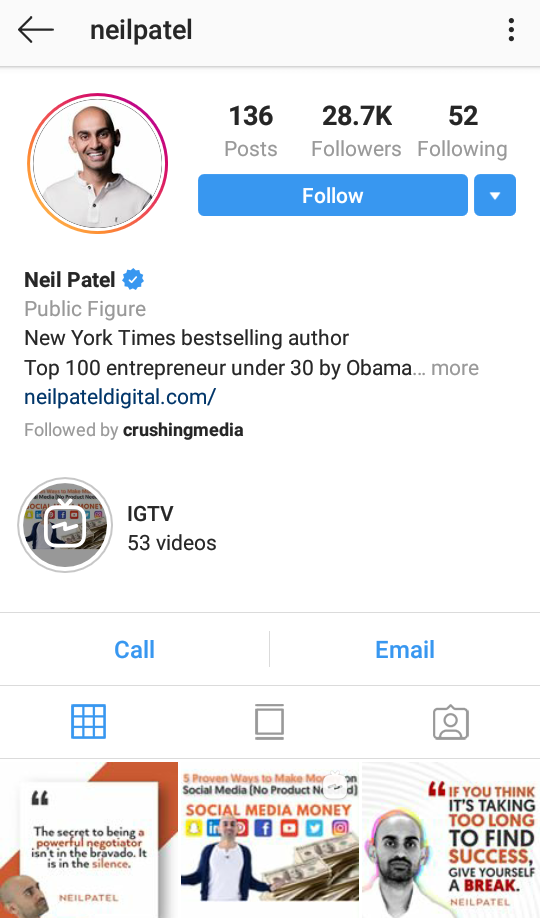
Here’s what happens if you search for my Instagram on Google for example with the app installed.
The results appear to be the exact same whether you have the Instagram app or not, but clicking it opens up the app seamlessly.
This is a good example of basic deep linking.
Someone that doesn’t have the Instagram mobile application installed will be given an error or redirected to a fallback page.
Deferred deep linking
This form of deep linking works the same way as standard linking does with the exception that it will direct users without the app to the download location.
This is beneficial because it can help app developers and companies acquire more customers.
Once the app is installed, the user will be referred to where they were originally navigating.
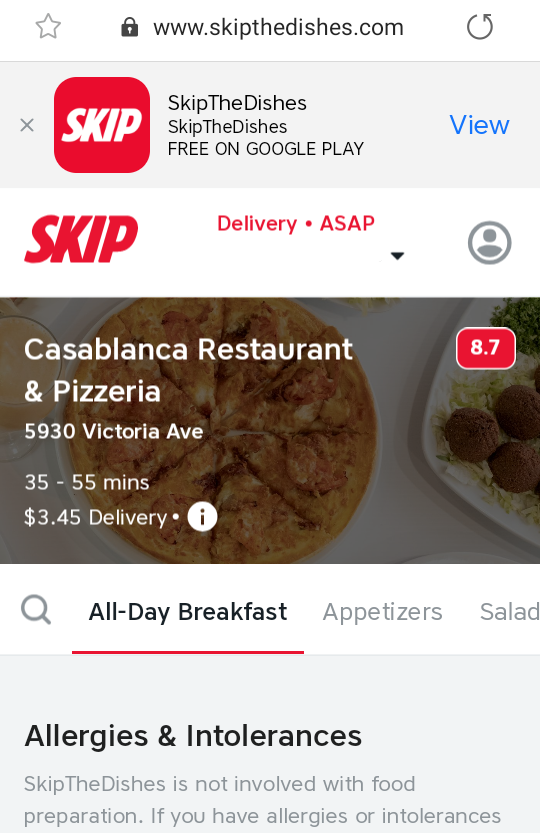
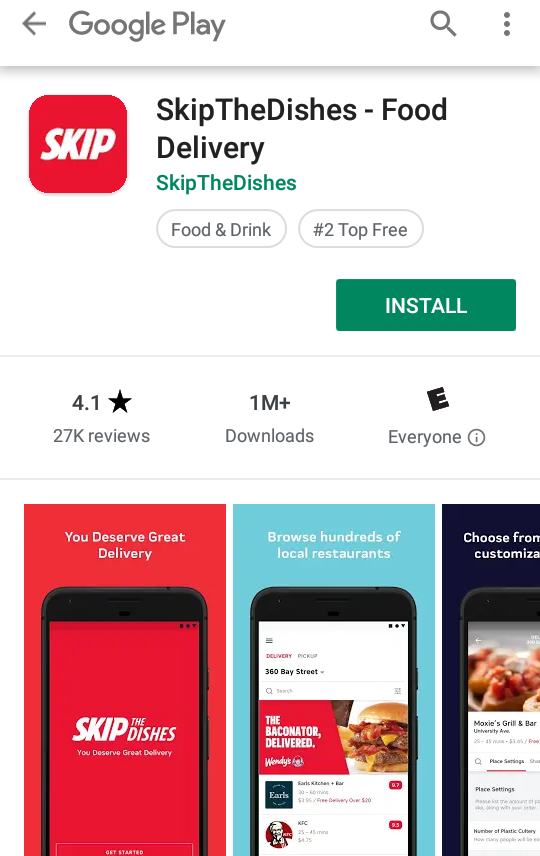
Check out the Skip The Dishes app to see what I mean.
While a user is creating their order, they are able to download the mobile app for Android or iOS.
They are forwarded back to the exact step they were taking, except in the mobile app after downloading it.
This means that they don’t have to manually go through the entire process again to get back to where they were.
Contextual deep linking
Contextual deep linking, also known asonboarding, is commonly used for gathering information on customers to personalize the user experience of an app.
Data such demographics, how users navigate to the app, and more is recorded.
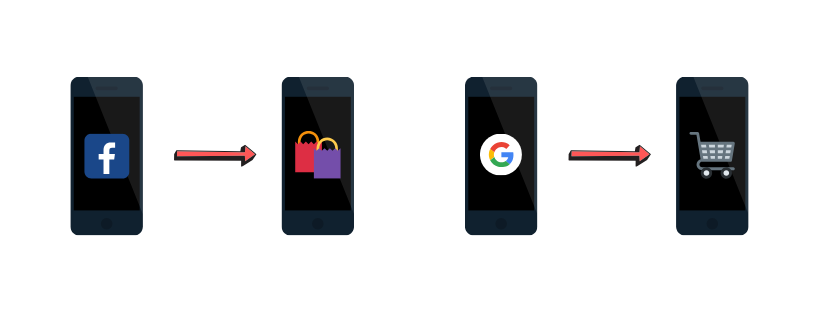
The app onboarding process can be different depending on if the user installed via the Google Play Store,the Apple Store, a Facebook campaign, or another source.
A mobile app downloaded through a Facebook Ad might look different than when it’s downloaded through a Google Display Ad, for example.
The landing page is able to be customized through what is known as adeep viewin mobile app development.
Just as the deep link forwards users to a specific deeper page in the application, the deep view is the visual result they see that’s different than others.
URI schemes
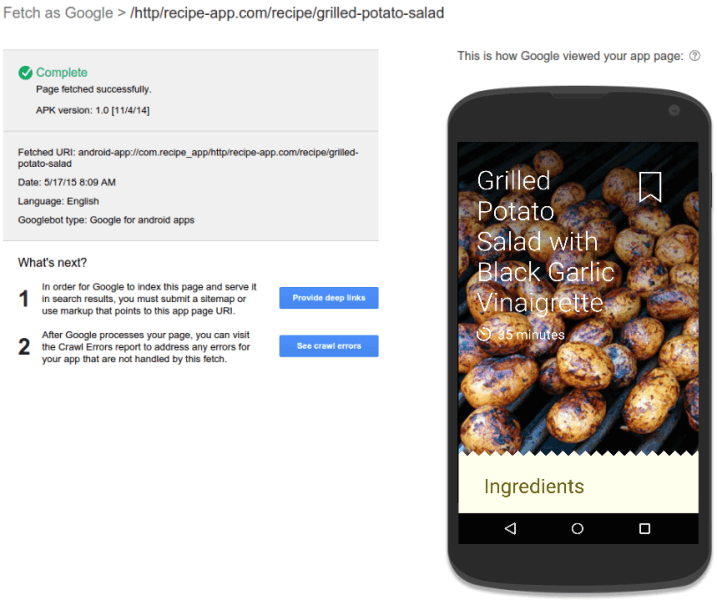
Deep linking is only doable thanks to what is known as URIschemes. These schemes are similar to how a websiteURLcan direct you to a specific page on a website.
See the fetched URI? Its format isappname://path/to/location.
Custom URIs are simple to set up for developers (Often created by default) and present the opportunity to redirect users wherever you please.
The mobile customer journey and how it applies to deep linking
The mobile buyer’s journey is the individual’s steps a user takes to find, use, and share your application.
It’s similar to the regular funnel a customer goes through when purchasing a product with some small differences you need to be aware of.
Here’s how the various steps in the mobile buyer’s journey can be applied to mobile deep linking.
Discovery
The first step in the mobile customer journey isdiscoveringyour app in the first place.
While this can be achieved through strategies like content marketing and SEO, deep linking gives you a nice boost to these tactics.
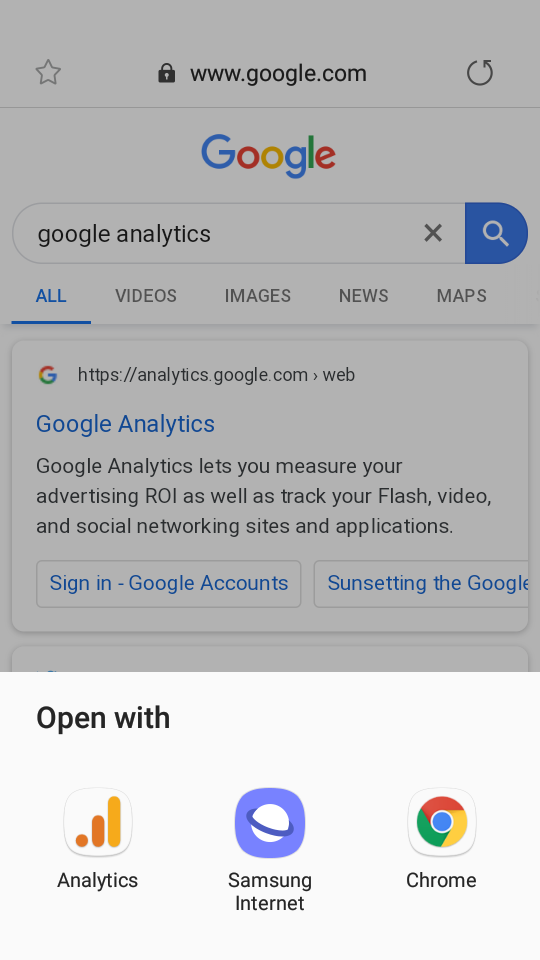
Google indexes deep links from mobile apps, giving you more opportunities to rank and drive organic traffic.
Users can click the search engine listing and open the link directly through the app instead of an internet browser.
Look at this search for Google Analytics to see what I mean:
This helps businesses acquire more users and increase brand awareness versus having a single search engine listing.
Check out my video on skyrocketing mobile app organic traffic, and pair it with deep linking for mind-blowing results.
Compare
Once a user has narrowed down a few options, they’re naturally going to want to find the best app by comparing them.
They’ll look at factors such as pricing, ease of use, and features.
Deep linking enables you to push users to the best features of your app, reviews, or customize the experience to make your application better than competitors.
By reducing the number of steps it takes to get to important functions of the app, you’re also decreasing the chance of users bouncing.
Decision
The third step in the mobile buyer’s journey is making a decision and commitment to a single app.
Having a clear value proposition and refined user experience is crucial here.
Better yet, contextual deep linking helps you collect data to make the application as tailored as possible to your buyer’s persona.
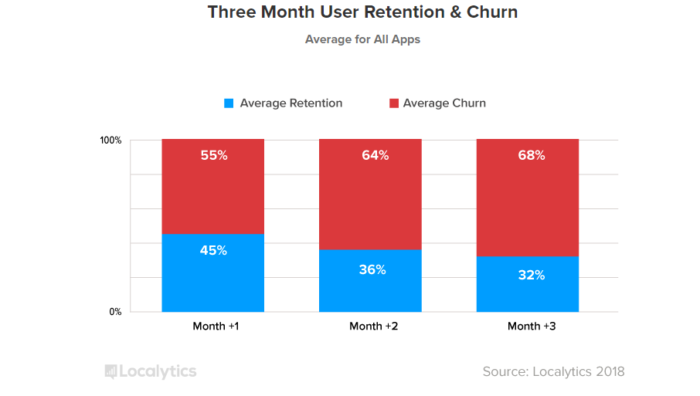
Look at mobile app user retention the same way you approach a website.
It’s common for nearly half of all visitors to leave a website and not take any action.
Do you just sit there and do nothing about it? Of course not!
You implement strategies like email options through popups and exclusive content to capture those users before they leave.
This is precisely what deep linking can be used for but in the sense for a mobile app.
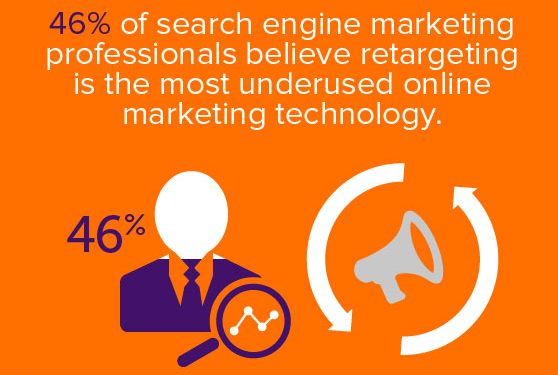
Once a user has visited your app, you can retarget them and use a different style of deep linking to improve their experience.
It improves the onboarding of new users
When a mobile app uses a form of deep linking like the deferred approach, you are capable of acquiring more users.
This is because as a user goes through the mobile browser version of your application, they will be given the option or automatically forwarded to the appropriate download location.
The contextual linking technique can be used to onboard new users in different ways depending on where they originally download the app from.
If you understand that users coming from a Facebook ad campaign regularly navigate to a certain product category, you can push them there automatically.
Furthermore, perhaps users from Google like to learn more about your business first before purchasing.
You can use contextual deep linking to direct those users to the page detailing your company’s history.
You can re-engage users
Once a user has used your app, you have a small window of opportunity to retarget them.
If a segment of users downloaded your app, viewed product pages, and bounced, you could retarget them in advertising campaigns and use deferred linking to forward them back to the high-interest product pages.
You could collect data on users via contextual deep linking to discover what product categories they enjoy the most, then offer a discount for them to align with this behavior.
Similarly, mobile deep linking has the potential to increase conversion rates.
This is because you are pushing users through the sales funnel quicker. Normally this consists of:
The user lands on the homepage of your website.
They navigate to a product page and add a line item to their cart.
They visit the cart page to confirm their order.
Finally, they pay and check out.
Mobile deep linking can effectively cut the sales funnel in half by helping customers go straight to sales pages.
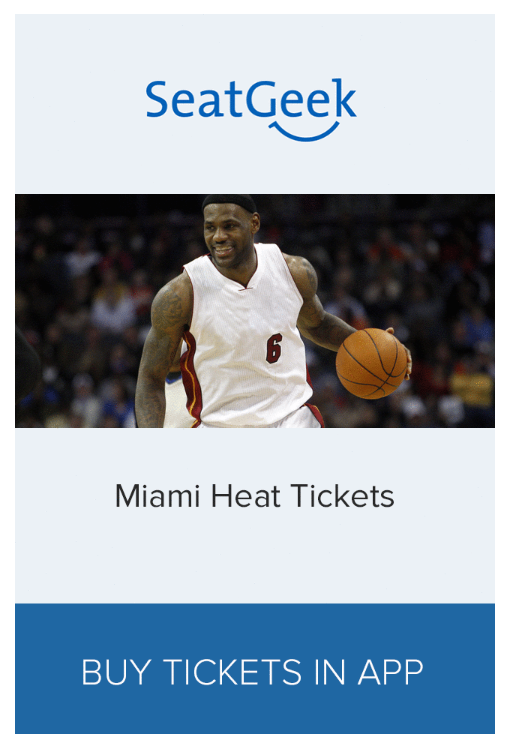
Firstly, they struggled with reminding users to finish their purchases and buy tickets through the app.
They resolved this issue by using deep linked mobile ads. These target ads based on past user activity would display relevant ads in other existing apps the customer used.
SeatGeek noticed that they were getting thousands of new users per day and had tokeep them.
Their team began creating ads that would serve different audiences based on previous behavior.
An example of this would be a user adding tickets to their favorite basketball team’s game to cart, but then abandoning before checking out.
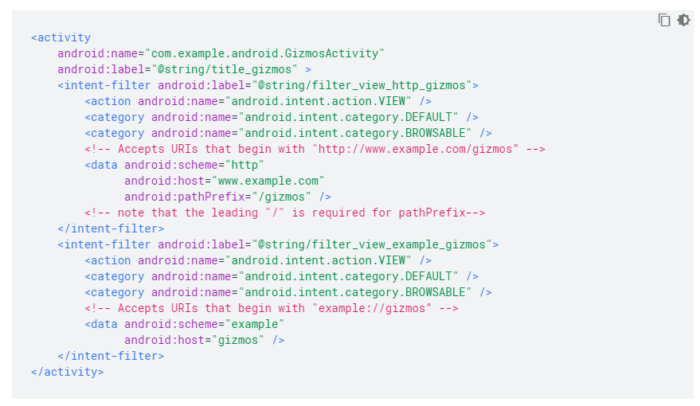
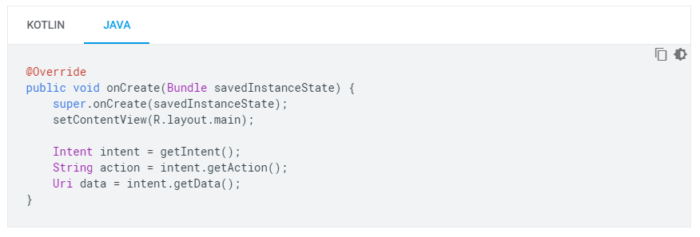
The second step is to ensure that your app can read data from the intent filter you created.
This is achieved through adding getData() and getAction() methods like so:
Deep links should not require users to log in or perform other actions to visit the desired content unless desired like in the case of promoting app downloads through deferred linking.
iOS
Adding deep links to iOS apps begins by enabling them through what is known as Associated Domains Entitlement.
That’s a fancy way to say you’re letting search engines know what app belongs to what website.
This way when a user clicks on your website, it activates the specified type of deep linking you choose.
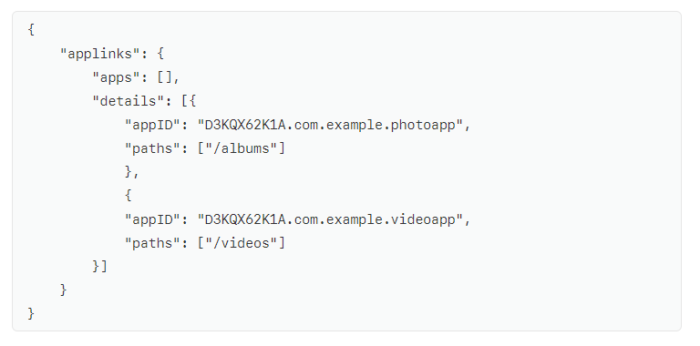
You will then have to add an Apple App Site Association file to your website to verify it.
Similar to how Android apps have the manifest file, theapp delegatefile acts as the root of iOS apps.
This is why you will have to program your app delegate file to respond to deep links like Apple shows in this example:
They are specifically handled through the NSUserActivity object and activityType value of NSUserActivityTypeBrowsingWeb.
Your iOS app will be prepared to handle and accept users that navigate to it from browsers like Safari after you complete these steps.
Conclusion
Mobile deep linking is a powerful technique to improve the user experience, on-boarding, and marketing of applications.
The three types of mobile deep linking are standard, deferred, and contextual. It’s important to understand each of these to know when to use them properly.
Standard deep linking is used when customers already have an app installed. When they click on a mobile link, it will give them the option to open it in the app or automatically.
Deferred deep linking works by forwarding users to theappropriate app storeto download the app if they don’t have it, then pushing them to the originally intended page.
Contextual linking is the most complicated but allows developers to collection information on users to customize the on-boarding and overall experience of the app.
Mobile deep linking can be implemented in each step of the buyer’s journey to acquire and retain users, too.
How do you use deep linking to improve mobile app performance?