An engagingcustomer experience (CX)was once only nice to have, but during periods of uncertainly, it becomes a must have to provide the advice and solutions your customers need and buildcustomer loyalty.
Take a look at these seven tips from the pros about creating a customer experience (CX) during a period of uncertainty:
This is the perfect opportunity to reach out to past, current, and future customers viavideo. They key is to make it personal. Also, grow while it’s slow. Take the chance to do an online course or offer educational content to customers. And remember to have an attitude of gratitude.
Find your prospect on LinkedIn, and then choose up to five people that you have in common that you’re comfortable asking for a referral or recommendation. Email, call, or message each person individually, and ask them if they’re willing to introduce you.
The worst time to think about the thing you’re going to say is in the very moment when you’re saying it. You’re going to find yourself in dozens of situations where your customers are going to be asking different questions of you. So right now, get ready, ready, ready, on how to respond. Think of it this way: if you change your words, you can very easily change your world.
- Phil M. Jones, Author, Professional Speaker, & Sales Expert
During times of disruption and upheaval, iconic leaders and organizations play offense, not defense. What we have to stop doing is working harder on the old, and maybe wrong, plan. That’s what iconic leaders do. Play offense to decide how we’re going to approach our customers and colleagues to enhance our connectivity while not worrying about the old plan and not worrying about the competition during this time of change.
Customer experienceand customer service are two terms that are often used interchangeably.Customer service is a voluntary act that demonstrates a genuine desire to satisfy, if not delight, a customer.Customer experience is the product of any interaction between an organization and a customer.
Instead of overengineering and deploying everything at once, use agile methodologies. Start with the customer in mind. What is your top two or three highest-volume or highest-value inquiry or request? Begin small implementation of that and iterate from there based on successes and lessons learned. This will help you continually create better and better digital experiences for your customers
Disclosure: This content is reader-supported, which means if you click on some of our links that we may earn a commission.
I’ve managed countless projects, hundreds of teams, and used many different types of management software over the years.
And you want to know a secret? It doesn’t matter which project management tool you use as long as you pick something people like using.
It sounds simple, but project management software is what you make it. Show me a nifty notification feature and I’ll show you an employee who can ignore it.
Getting the team or organization to buy in and trust the software is critical. The best way to make that happen is by choosing a product that actually makes their lives easier.
Let’s go through the factors you should evaluate to determine what project management software is going to help your teams with the challenges they face.
How to Choose the Project Management Software for You
The best project management software for you depends on your projects’ complexity, the size of your team, and the features you need.
Every option on my list is a fantastic product, but only one is going to be the best fit for you.
So before we dive into my top recommendations, let’s talk about what to look for as you go through the process of finding the right software.
Number of Users
Most project management software is charged on a per user per month basis. So, it’s crucial to understand how many seats you need and your budget.
If you have a large team with hundreds of users, you’re better off choosing an enterprise plan with custom pricing to get the most bang for your buck.
However, if you have less than 15 people, Asana is an excellent choice (free for up to 15 users).
And if you have fewer than three users, you can use Zoho Projects for free as well.
Collaboration Tools
Collaborating through email or phone is handy, but it can be hard to keep track of conversations and responsibilities.
The best project management software comes with built-in tools that allow users to collaborate directly within a task, project, or team. This can include flagging tasks with statuses, discussion boards, comment threads, and @mentioning other users to draw someone’s attention.
Another aid to collaboration is project management software that integrates with the tools your teams are already using. G Suite or Microsoft integration is going to make simple tasks like sharing and editing content that much easier.
Project Complexity
For simple and straightforward projects, basic project management software is all you need.
And you can probably get by using a free forever plan with Trello, Asana, or Zoho Projects.
However, as your projects get more complex, you need more robust features. So, you may need to upgrade to a paid plan if you go with a basic project management software.
On the other hand, tools like Wrike and Smartsheet offer more advanced and industry-specific capabilities. But they come with a higher price tag.
Task Management
Task management is one of the most important features to pay attention to.
While most project management software includes basic task management, it’s important to consider the advanced capabilities you need.
Do you need to create task dependencies? Maybe you need to create recurring tasks on a daily, monthly, or yearly basis. Or perhaps you want to assign multiple people to the same task.
This also includes things like:
Checklists and due dates
File attachments
Task archiving/deleting
Task prioritization
Automation
Subtasks
So, carefully consider how you plan to manage projects and the task management features you need before making any decisions.
Customization
Every project and team is different.
So it’s important that your project management software can adapt to meet your needs. Whether that’s a fully branded dashboard, the flexibility to scale, or improved functionality with the right integrations.
Furthermore, think about how you want to view and share project progress. Different software offers different project views, reporting, and analytics.
Start by creating a complete list of required features and integrations.
Lastly, consider everything you need your software to do and speak to a sales team to make sure their tool can handle your top priorities within your budget.
The Different Types of Project Management Software
There are various different types of project management software. Some are much better than others while some are reserved specifically for developers or enterprises with a large budget.
Let’s walk through them together.
Cloud-Based
All of my top recommendations are cloud-based software. This means that the software lives on a cloud server and you can access it from any web browser on any device.
This is the preferred type for most users because it’s easy to use, doesn’t require any infrastructure on your part, and you can access everything regardless of where you are.
You typically pay for this type of software on a per user per month basis.
Industry-Specific
Different types of projects may require industry-specific solutions.
These make your life easier with pre-made templates, automated workflows, and more features specific to the types of projects you’re managing.
Most of the software on this list offer solutions for industries like:
Digital marketing
Manufacturing
Education
Real estate
Construction
Software development
Remote teams
With that said, these companies also offer standard subscriptions at reasonable prices that don’t include industry-specific tools.
So you don’t have to use these higher-priced solutions unless you want to.
Most of these solutions come with custom pricing based on your specific needs. So they may be outside your budget, especially if you’re a small company or a brand new business.
On-Premise
On-premise project management software lives on your servers, rather than on the cloud. And while it’s more secure, you can only access the software from devices on your network.
You also may need to install new infrastructure or hire an in-house maintenance team to update and maintain the software for you.
This is why none of the recommendations on this list are on-premise solutions.
For most users, Zoho Projects is my top recommendation.
They offer a free forever plan, and paid plans start at just $3 per user per month. So, it’s incredibly affordable for small businesses and can scale as your business grows.
Whether you’re managing simple or complex projects, Zoho has everything you need, including powerful features like:
Hosted file storage
Task dependencies
Recurring tasks
Visual workflow builder
Time tracking
Task assignments and prioritization
Chats, forums, and feeds
Reporting and analytics
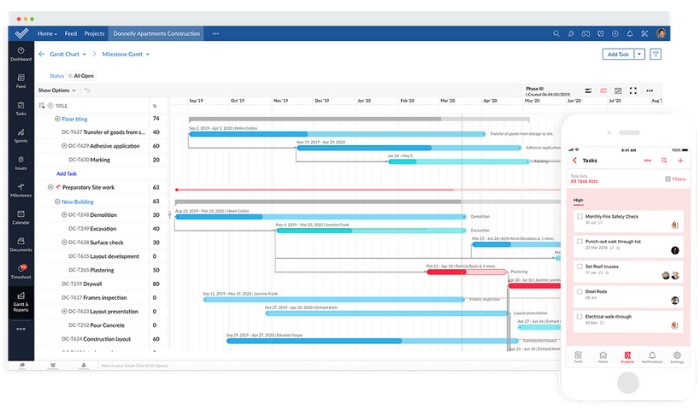
The drag-and-drop interface makes it easy to create workflows and track project progress quickly. Plus, you can view projects using Kanban, Gantt, or calendar views.
Furthermore, their internal communication tools (chat, forum, and feed) streamline team collaboration where it matters most.
You can also take advantage of more than 100+ built-in integrations with business tools you’re already using to run and manage your business.
These integrations include Slack, Zapier, DropBox, and more.
Zoho’s plans include:
Free — up to 3 users, two projects, and 10 MB of storage
Standard — $3/user per month and up to 10 projects (between 6 and 10 users)
Express — $4/user per month + unlimited projects (between 12 and 50 users)
Premium — $5/user per month + unlimited projects (between 15 and 100 users)
Over 20,000+ businesses, including Google, Airbnb, and Dell, use Wrike to manage marketing and sales projects worldwide.
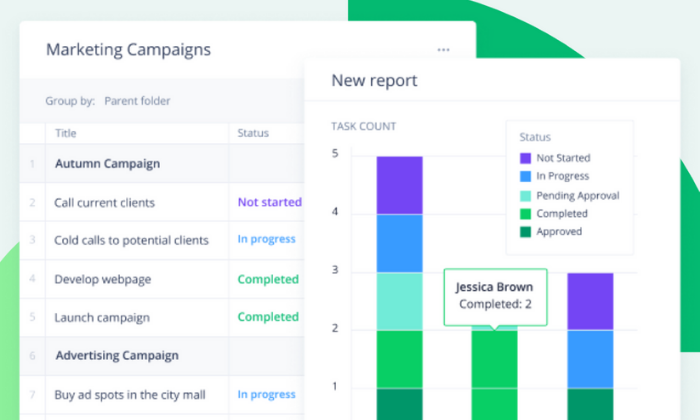
With Wrike, your project management software adapts to meet your needs, rather than the other way around. And features like custom workflows and dashboards, automation, and real-time communication make this an excellent choice for dynamic marketing teams of all sizes.
You also get end-to-end visualization so you can hone in on problem areas while maintaining constant forward movement with each project as a whole.
Furthermore, Wrike includes powerful marketing-specific templates including
Campaign management
Product launching
Marketing operations
Content creation
Event management
And you can combine those with standard project management features like task management, proofing and approvals, communication tools, and real-time progress visibility.
Project views include board, spreadsheet, Gantt, calendar, and custom views.
Wrike also includes seamless integrations with 400+ business tools, like Salesforce, G Mail, and Google Drive. So, you don’t have to worry about software incompatibility issues or anything like that.
You can start on their free forever plan for up to five users, but you may find it limiting. Paid plans include:
Professional — $9.80/user per month (5 – 15 users)
Business — $24.80/user per month (5 – 200 users)
Enterprise — Custom (5 – unlimited users)
They also offer tailored plans for marketing teams, but you have to contact them for a custom quote. However, it includes specialty templates, Wrike Proof, and more.
If you’re managing a remote team (or a soon-to-be remote team), Teamwork is an excellent choice. Their remote work module is specifically for distributed teams who need a flexible way to keep work moving forward.
20,000+ teams plus big names, including Disney, Netflix, and Spotify, rely on Teamwork for their remote project management needs — and for a good reason.
The software makes collaboration, task management, and project visibility a breeze regardless of where your team lives (and works). And as Teamwork says, “Just because you’re not in the same room doesn’t mean you can’t be on the same page.”
This remote project management software includes excellent features like:
Internal chat software
Centralized workspaces
Board views
Custom project templates
Workload balancing
Time tracking
Gantt charts
Furthermore, you can pick and choose which software you need. Or, you can save 49% by bundling all of Teamwork’s software together.
At $35/mo per user (minimum of five users), it’s more suitable for businesses with a decent budget. But, their project management module alone is much more affordable, starting at $10/mo per user.
Alternatively, you can start with a free forever plan for up to five users and two projects. This is an excellent choice for small teams or fast-growth companies.
Asana is an excellent choice for teams of up to 15 people.
And with millions of users spanning 190+ countries worldwide, you can rest assured you’re in good hands.
Their free forever plan includes 15 seats, unlimited tasks and projects, assignees, due dates, and everything you need (aside from a few advanced features) to manage projects of all sizes efficiently.
With Asana, you can map out even the smallest steps of every project to ensure forward movement and track your team’s progress along the way.
Furthermore, you can enjoy features like:
Drag-and-drop board views
Timeline views
Automated workflows
Work requests and forms
Calendar view
Portfolio overviews
Workload balance
Custom fields
Reusable templates
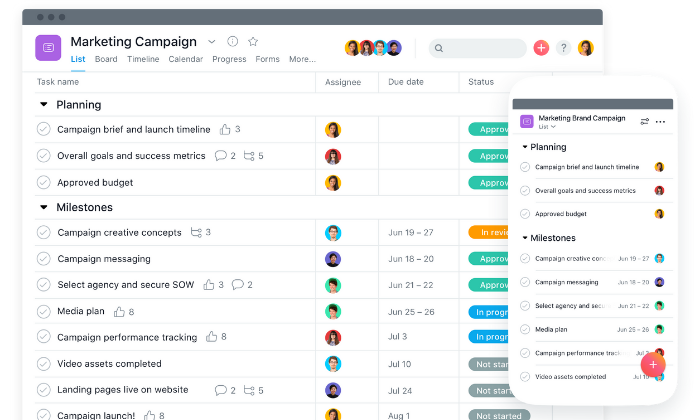
Not only that, but the entire interface is beautiful and easy to navigate.
You can choose between pre-made industry templates or create your own to get your team on track in no time.
And with 100+ integrations including Adobe, Slack, Gmail, Chrome, Drive, and more, you can rest easy knowing Asana plays well with the tools you’re already using.
Plus, you can share files, communicate, and share feedback all in one place.
With a free price tag (for up to 15 users), Asana’s hard to beat. However, if you outgrow the free plan, you can upgrade to one of their paid plans, including:
Smartsheet is a dynamic project management software built for enterprises and large teams. However, the solution is flexible enough to suit businesses and projects of all sizes.
They specialize in rapid-movement projects with a ton of moving parts. So, you can trust Smartsheet for even the most complicated projects.
With Smartsheet, you can gain end-to-end project visibility with grid, card, Gantt, and calendar views. Furthermore, you can gather data from forms, automated workflows, and recurring tasks to see what you need to see, and when.
However, the software goes beyond essential project management. It’s an award-winning work execution platform that’s easy to implement, manage, and maintain.
Plus, 75% of fortune 500 companies use Smartsheet to get things done.
So, you’re in good company.
All plans also include on-demand customer support, continuous education materials, training + certification programs, and consulting services to help you make the most of your new project management software.
And you also get collaboration tools, all four project views, and extensive mobile apps/integrations with every plan.
While Smartsheet is overkill for most small businesses, it’s an excellent choice for large companies and enterprises looking to streamline their business processes.
Their paid plans include:
Individual — $14 per month
Business — $25 per user per month (minimum of three users)
Enterprise — custom (enterprise-grade features and tools)
Premier — custom (enterprise + premium features and tools)
#6 – Trello Review — Best Free Project Management Software
If you’re on a tight budget, Trello is an excellent free project management software.
Plus, millions of users, including Pinterest, Peloton, Fender, and Costco, rely on it to map out and manage projects of all shapes and sizes.
It’s an excellent tool for basic visual project management for any type of project, from home improvement and side hustles to marketing campaigns and full-blown business operations as well.
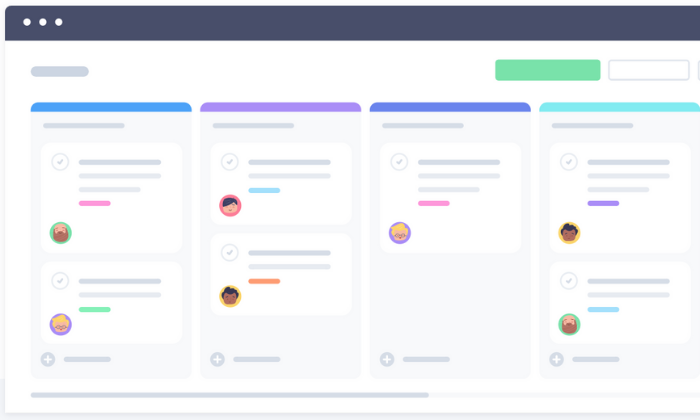
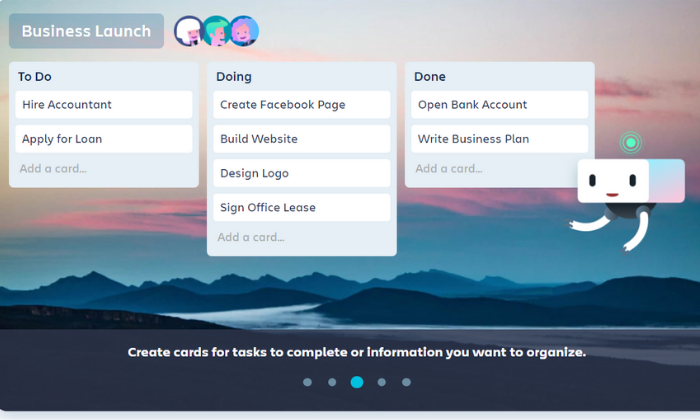
Trello uses boards, cards, and lists to organize projects, making it a familiar and comfortable platform. You can drag and drop cards, move cards to new boards, and cross tasks off as you go along.
Furthermore, you can create automatic workflows with rule-based triggers, calendar commands, and more.
Plus, the free forever plan includes intuitive features like:
Unlimited personal boards
Unlimited cards and lists
10 MB file attachments
Up to 10 team boards
Basic automation
And two-factor authentication
It’s an excellent solution for teams of all sizes since everyone can join for free. However, you need to upgrade to a paid plan if you need more than ten team boards.
And if you outgrow the free plan, you can upgrade to an affordable paid plan for more advanced features. Trello’s paid plans include:
Zoho Projects is my #1 recommendation for most users, starting at just $3 per user per month with an extensive free forever plan as well.
However, there isn’t a one-size-fits-all project management solution.
So, make sure you understand your needs and requirements before making any decisions. And don’t forget to use the criteria we talked about as you go through the process.
Disclosure: This content is reader-supported, which means if you click on some of our links that we may earn a commission.
Marketing campaigns get more complex by the day.
It’s great news for the consumer experience but a nightmare for you as a marketing manager handling thousands of moving parts (and countless employees) on a daily basis.
To put it lightly, there’s a lot going on behind the scenes.
Especially complex technical challenges that most consumers and employees will never see or fully understand.
But thankfully more and more automation tools are popping up to make your life a bit easier.
However, that means choosing the best marketing automation software for your business and team is harder than its ever been.
From enterprise-grade solutions to the most affordable options, my team and I have researched, tested, and used just about every software you can imagine. And I can honestly say… that’s not an exaggeration.
But the good news is that I narrowed it down to my top six recommendations, reviewed them, and developed an all-inclusive list of what to consider when making your final decision.
The Top 6 Options for Marketing Automation Software
How to Choose The Best Marketing Automation Software for You
I stand behind all of my top recommendations. However, choosing the right one for you isn’t always easy because it depends on various factors.
So, before we dive in, let’s talk about how to narrow things down and find the best marketing automation software for your business.
Type of Business
B2B businesses have different marketing needs than D2C companies.
Furthermore, marketing agencies present a new set of marketing automation challenges. Because of that, specialized software may be necessary to meet your specific needs at a reasonable price point.
The size of your business matters too. Large companies run complex, massive-scale campaigns and have bigger pockets. So, small business tools aren’t a good match.
However, smaller companies will probably find enterprise-grade features confusing and wildly out of budget, which is why those small business tools exist in the first place.
So, pay attention to who the software is built for when making your final decision.
Number of Contacts
Most pricing plans depend on the number of contacts or leads you have. The larger your list, the more you need to pay to maintain it and stay in touch with them.
If you have tens or hundreds of thousands of contacts, enterprise-grade solutions are probably more cost-effective. However, that’s not the case if you have a few hundred or even a few thousand leads on your list.
Just be sure to keep this in mind and remember that specific plans may limit the maximum number of contacts you can have.
And if you hit those limits, you’ll need to upgrade to a higher plan or pay an extra fee.
Your Marketing Channels
Different marketing automation software supports various marketing channels.
And there’s no one-size-fits-all solution.
From SMS and email marketing to social media and push notifications, it’s crucial to choose a software that handles everything you need.
Smaller businesses with simple campaigns may not utilize a wide range of channels and can get away using a more affordable tool.
However, large businesses with complex campaigns spanning numerous channels need something more robust to manage all the moving parts.
Furthermore, some software includes varying channels in different pricing tiers. So, you may start on one level and need to move up to gain access to more marketing channels. Or you may need to move to (or integrate) a new tool altogether.
It may help to map out your upcoming campaigns and decide which channels you plan to use.
Automation Features
Automation is at the heart of every tool on this list. But some offer more advanced automation features than others.
Do you need to score leads and prospects? Maybe you want to combine SMS, email marketing, and Facebook ads in the same customer journey. Or perhaps you need the ability to send hyper-targeted emails on autopilot.
Regardless of the complexity of your campaigns, don’t forget to consider:
Split A/B testing
Automated email campaigns
Event and website tracking
Contact management
Visual customer journey mapping
Automated segmentation and personalization
Prospect and lead scoring
Dynamic content
Transactional emails
AI-powered recommendations
Action and logic-based triggers
Reporting and analytics
You may not need all of them, and some tools don’t include them. So it’s critical to understand what you need (and don’t need) before making your decision.
Additional Features
It’s not uncommon for marketing automation software to include a handful of features typically found in a CRM tool, like live chat or customer support capabilities.
Before making a final decision, it’s essential to understand which additional features you need to fill the gap between marketing and sales or customer service.
You may already have these systems in place. So, you won’t need these additional features. But if you don’t, you might be able to save money, hassle, and time by choosing a software that includes everything you’re missing under one roof.
It includes customer service, sales, and marketing automation tools in a centralized location to streamline data movement and foster automation across your entire business.
The Different Types of Marketing Automation Software
Marketing comes in all shapes, sizes, and complexities.
From physical mailers and print campaigns to social media and email marketing, the best marketing automation software helps you build, automate, and optimize all types of marketing campaigns.
Marketing automation software is often confused with customer relationship management (CRM). However, the two aren’t the same or interchangeable.
CRM software focuses on sales activities, while marketing automation software focuses on marketing tasks. Going further, marketing automation software is for generating, nurturing, and qualifying leads.
On the other hand, CRM software is to close the sale and foster communications or relationships after the sale.
In a perfect world, the two systems play well together and create a seamless flow of data from your marketing team to your sales team.
Taking things further, there are numerous subsets of marketing automation software, including:
Email marketing
Social media marketing
Advertising management
SMS marketing
Live chat
Each different tool is powerful on its own. But true marketing automation software lets you create and optimize customer journeys across marketing platforms for varying complexity campaigns.
#1 – Freshworks CRM– Best Marketing Automation Software for Small to Midsize Businesses
Freshmarketer was one of my favorite marketing automation platforms. There was a lot of customizability to get campaigns just right, but it wasn’t required. I never had to hire a professional service to babysit the software in order for it to work.
Freshmarketer is now Freshworks CRM, and it’s phenomenal. Now, intelligent marketing automation is just one part of an exceptional platform that anyone in the office can use.
SMBs don’t have to worry about hiring a team of super users just to run campaigns, but they get a lot of the marketing automation features they need to attract customers, nurture their audiences, understand their needs, and drive conversions.
It’s my #1 recommendation for most users—and for a good reason.
From awareness to retention, you get all the automation features you need to gain more leads, turn those leads into customers, and keep those customers around for life. All while doing less work with better results.
Plus, you don’t need any technical skills or a dedicated support team to get started. And it takes about a minute to get up and running.
You also get access to incredible features like:
Email campaigns and contact management
Visual drag and drop customer journey builder
Website, form, and offline event tracking
Conversion rate optimization tools
A/B and split testing
Advanced personalization
Dynamic heat maps
Audience segmentation
Real-time funnel analytics
Furthermore, the software seamlessly integrates with Freshworks’ other tools, so it’s an excellent choice if you currently use or plan to use any of their business software.
You can try Freshworks CRM on their limited free forever plan or a 21-day free trial of their paid plans, which are incredibly affordable and accessible for businesses of all sizes. However, they depend on the number of contacts you have, so keep that in mind.
They offer Growth, Pro and Enterprise plans of the full Freshworks CRM, or just the marketing services. Plans for the full CRM start at $29/month for 1,000 active contacts. Plans for Marketing Cloud start at $19/month for 500 contacts.
#2 – Pardot by Salesforce Review — The Best Marketing Automation Software for B2B Businesses
As a B2B business, you market to other companies, which presents a unique set of marketing challenges. As such, you need a marketing automation tool built for the job.
Pardot exists to help B2B companies build relationships and turn those relationships into revenue. Plus, it’s a fantastic marketing automation software built around the world’s #1 CRM.
So, you know you’re in good hands.
From lead generation to sales alignment, the software offers a wide range of features, including:
Dynamic content and data-based personalization
Lead-nurturing email automations
Prospect and lead scoring
Visual multi-part automation creator
Advanced segmentation
Landing page builder
Smart forms + drag and drop builder
Social media scheduling, profiling, and analytics
Lead activity tracking
Campaign performance reporting
Lifecycle and funnel reporting
Pardot Einstein for lead and behavior scoring
Furthermore, over 2.8+ million worldwide users rely on Pardot for their marketing automation needs, making it one of the most popular platforms on this list.
But it is a bit expensive, so it’s best suited for larger businesses. Their paid plans include:
Growth — $1,250/month for up to 10,000 contacts and basic features
Plus — $2,500/month for up to 10,000 contacts with deeper automation + analytics
Advanced — $4,000/month for up to 10,000 contacts with AI and all features
Premium — $15,000/month for up to 75,000 contacts with supercharge features
They also offer a few add-ons that come free in the Premium plan. Those add-ons include Salesforce Engage ($50/user per month), Analytics Plus ($3,000/month), and Engagement History ($300/year).
All plans and add-ons are billed on an annual basis.
#3 – ActiveCampaign Review — The Best for Email Marketing Automations
Email is one of the most important aspects of digital marketing. All the tools on this list include email marketing in one form or another, but ActiveCampaign specializes in it.
So, it’s an excellent option if you want to hone in and focus on improving your email marketing strategy. It’s also a super affordable tool that includes numerous automation features for leads anywhere in your funnel.
With that said, they also offer omnichannel automation, including instant messaging and SMS, live chat, and Facebook.
So, you’re not limited to just email marketing automation with ActiveCampaign.
Their most popular features cover leads at every point in the funnel, including:
Engage – Automation maps, site tracking, and subscription forms
Nurture – List segmenting, dynamic/predictive content, and event tracking
Convert – Contact and lead scoring, split actions, and win probabilities
Support – Predictive sending, SMS, A/B split testing, and ecommerce
You can also set up numerous types of emails like autoresponders, targeted or triggered emails, broadcasts, scheduled emails, and automated funnels.
And you can design those emails using their intuitive drag and drop designer, or start from one of their 25+ pre-made mobile-responsive design templates.
Whether you’re just getting started or interested in scaling and optimizing your email marketing strategy, ActiveCampaign is an excellent choice. They offer everything you need to capture, nurture, and close leads at scale.
ActiveCampaign offers four plans, with the price of each starting at:
Lite — $9 per month with up to three users
Plus — $49 per month with up to 25 users
Professional — $129 per month with up to 50 users
Enterprise — $229 per month with unlimited users
Each tier includes more advanced features, and pricing is based on the size of your list, starting for up to 500 contacts.
So, keep in mind that you will have to pay more than the prices above as your list grows.
#4 – Acoustic Review — The Best Enterprise-Grade Multi-Channel Marketing Automation Software
Acoustic offers an array of marketing automation products for centralized cross-platform multi-channel marketing. From personalization and email campaigns to web content management and experience management, they offer something for everyone.
Acoustic Campaign is their marketing automation tool, encompassing mobile apps, push notifications, SMS, group chats, social media, ads, email, print campaigns, and more.
You can also combine this with Acoustic Personalization and Acoustic Analytics for a powerful combination of campaign management, data, and using that data to deliver the right message at the right time.
With Acoustic Campaign, you get access to powerful features, including:
Drag and drop campaign builder
Action, logic, and AI-recommended triggers
Seamless mobile and digital channel campaigns
Lead management and scoring
Split A/B testing
Customer journey mapping
Planning and budgeting
One-to-one ads and lookalike audiences
Advanced personalization
Reporting and analytics
Furthermore, they have a community forum where you can publicly ask questions. They also provide an online academy packed full of educational videos and training so you can get the most of your custom automation package.
Note: Acoustic is built for moderate to large volume campaigns with countless moving parts. So, it’s perfect for businesses managing complicated campaigns across numerous channels.
But it’s overkill for a lot of businesses and anyone running single-channel campaigns.
Pricing isn’t available online, and you have to schedule a consultation to learn more. So, keep in mind that you won’t be able to sign up and get started immediately.
#5 – Hubspot Review — The Best Sales, Customer Service, and Marketing Automation Software
If you’re looking for an easy way to automate your sales, customer service, and marketing processes, Hubspot Growth Suite is an excellent and affordable solution.
And the best part? Hubspot goes beyond automating your business processes. It also helps integrate and optimize different departments in one centralized location, thus streamlining your entire business’s workflow.
This means teams don’t have to jump from software to software to get the information they need, and you can automate the data transfer process from one team to the next.
However, their marketing automation capabilities are powerful on their own, with features like:
Blog post and SEO planning
Ad tracking and management
Social media management
AI-powered live chat
Email marketing
Forms and landing pages
Revenue attribution reporting
Visual workflow builder
Account-based marketing
A/B split testing
Predictive lead scoring
Hubspot offers basic features, like emails, landing pages, forms, and live chat capabilities for unlimited users absolutely free. So, you can try it out without spending a penny.
Alternatively, you can sign up for a free demo to see all of their advanced features in action.
The Growth Suite (sales, marketing, CRM, and customer service) starts at $50 per month for two users and up to 1,000 contacts, making it extremely affordable for most businesses.
But they also have advanced plans for larger and more complex campaigns, including:
Professional — $1,275 per month for advanced features
Enterprise — $4,200 per month for all features
Each 1,000 contacts after your initial 1,000 cost $16.67 per month. And you can add more users to your sales and service hubs for $8.33 per user/month.
Plus, if you’re a current member or alumni of Hubspot’s approved incubator, accelerator, or Venture Capital partners with a round of Series A funding under your belt, you can get up to 90% off your first year.
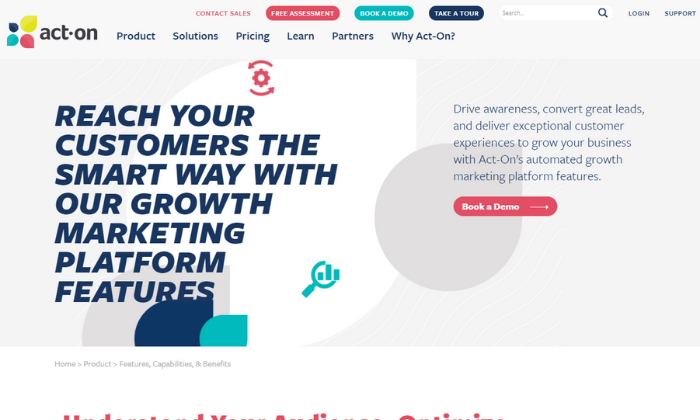
#6 – Act-On Review — The Best Marketing Automation Software for Marketing Agencies
As a marketing agency, you handle marketing campaigns for several clients (if not hundreds of them) at any given time. As such, you need marketing automation software with the ability to manage everything, including your own marketing campaigns, in one place.
Their scalable software features unique child and parent campaign capabilities, meaning you can easily manage and handle all of your client accounts from a single Act-On login.
Plus, you can completely brand and customize everything to deliver custom reports to clients in just a few clicks.
With Act-On, you can learn more about your clients’ audiences to personalize and tailor their message to match. Not only does this make their life easier, but it also means your team can work less to produce better results.
When you sign up, you get access to powerful marketing features, including:
Automated engagement programs
Website and landing page tracking
Customer/prospect scoring
Behavior and demographic segmentation
Pre-built email, form, and landing page templates
Interactive reporting dashboards
Plus, you can build custom real-time analytic dashboards for internal and external use, so you and your clients always know what’s going on.
Furthermore, you can use this information to improve customer ROI, build better technology stacks, and optimize entire marketing campaigns on behalf of your clients. From lead gathering and nurturing to transferring contact information to sales, you’re in good hands.
Freshworks CRM is my top recommendation for most businesses. It’s built for small to midsize companies interested in automating their marketing processes to grow their businesses and save time.
Plus, it’s affordable, easy to use, and packed full of powerful automation features.
However, it’s not the perfect solution for everyone. So, don’t forget to use the criteria we talked about as you sort through finding the best marketing automation software for you and your team.
What are your favorite marketing automation tools?
Disclosure: This content is reader-supported, which means if you click on some of our links that we may earn a commission.
82% of businesses fail because of poor cash flow management and subpar accounting practices. Yikes. It’s no secret that accounting is hard — and there’s a reason people spend their entire lives learning how to do it well.
But there’s good news.
You can avoid becoming a part of this statistic without heading to university to get a Bachelor’s (or Master’s) degree in accounting.
Enter… modern-day accounting software. It exists to help even the smallest businesses improve their bookkeeping processes, save time, and make fewer costly mistakes.
Plus, understanding your numbers can lead to smarter business decisions and improved overall business health/performance as well.
These options are easy to get started and effortless to maintain. Get your books in order today and be better prepared for tomorrow.
The Top 5 Options for Accounting Software:
FreshBooks – Best for freelancers and solopreneurs
QuickBooks – Best accounting software for small businesses
Zoho Books – Best for businesses with 50+ customers/vendors
How to Choose the Best Accounting Software for You
Choosing the best accounting software isn’t easy, thanks to the thousands of options that all promise to make your life easier.
Which one offers everything you need without a slew of confusing features you’ll never use?
If you’re not sure how to answer that question, you’re in the right place. As diverse as the market for accounting software may be, there are really only a few important factors you need to consider when making your decision.
Let’s walk through each consideration in detail to help you evaluate the different products available.
Number of Clients, Vendors, and Users
Certain plans limit the number of clients and vendors you’re allowed to have. This isn’t a major consideration for everyone, but companies that work with a lot of partners and distributors should ensure that they’re not going to hit annoying limits.
It may be the case that you have to upgrade to a premium plan in order to accomodate a large number of vendors or clients, so that’s important to look for if it is going to be an issue.
You also want to think about the number of user accounts you need. How many people in HR will need administrative control? What about other departments?
Client Management
The best accounting software includes intuitive features that let you follow up on invoices and a portal where your clients can pay you.
Minimize the number of steps necessary for a client to complete a payment, and send reminders automatically when invoices are past due.
Direct integration with your CRM software is an obvious plus, as you will be able to tie your accounting and customer database together.
Billing and Invoicing
Most accounting software includes invoicing functionality but in different capacities. Some offer highly customizable invoices while others are easier to use with fewer customization options.
Furthermore, the software you choose should make paying invoices as easy as possible for your clients. Some other billing and invoicing features to consider include:
Automatic payment reminders
Payment due dates
Late fees
Recurring invoices
Ability to save client information
Payment processing options
One-click payments
Lastly, consider the payment processing fees associated with each software. Most charge a set percentage plus a small fee for credit card transactions and 1% for ACH transfers.
Receipt Management
Many modern accounting tools make it easy to categorize and store digital versions of your receipts. All you have to do is snap a photo of your receipt and attach it to the associated expense in your account.
However, not every software includes this. So, if this is something you’re interested in, be sure to choose an accounting software with receipt management capabilities.
Banking
Connecting your bank accounts and credit cards to your accounting software makes account reconciliation a breeze. It also reduces the chances of human errors when making manual entries.
However, not every software offers this capability on basic plans (but all of my top recommendations do).
So make sure you opt for a software that includes this functionality.
Mobile Accessibility
Make sure the software you choose offers a mobile app so you can manage payments, invoices, and cash flow on the go.
It may not seem like an important feature now, but you never know when (and where) you need to access your accounts or send an invoice.
Integrations
It’s important to consider the tools you’re already using to run your business. Why? Because the best accounting software for you integrates seamlessly into your tech stack with minimal hassle or headache.
So before you get started, make a list of everything you need and the tools you already use.
Then, make sure the top contenders on your list include your full requirements and the necessary integrations.
You can even schedule a call with a sales rep for each accounting software to walk through your list of requirements to make sure they can handle everything you’re looking for.
The Different Types of Accounting Software
When it comes to accounting software, you have several options. Some of them are better than others, but the best choice for you depends on your situation.
So let’s walk through your options before we dive into my top recommendations.
DIY Spreadsheets
Spreadsheets are a free, DIY option if you’re on a tight budget. They work okay if you’re just getting started and have a limited number of business transactions.
However, they’re not a long term solution and they leave a lot of room for human error.
If you’re looking for a free option, I highly recommend Wave as an alternative.
Cloud-Based Accounting Software
Most modern-day accounting software is cloud-based, making it easily accessible from anywhere with an internet connection.
And it’s usually billed on a monthly basis, scalable, affordable, easy to use, and built for small to midsize businesses.
Every option on this list falls under this category.
Database Accounting Software
This is a type of highly secure accounting software specific to enterprises and large businesses.
It’s very expensive and requires an in-house team of engineers and/or financial specialists to install and maintain.
Because of that, I didn’t include this type of software in my research.
Now, let’s dive into my top accounting software recommendations based on the size of your business and your specific needs.
#1 – FreshBooks Review — The Best for Freelancers and Solopreneurs
If you’re a freelancer, solopreneur, or small business, FreshBooks is a great accounting software to consider. To date, they serve more than 10 million businesses around the world.
And the software complies with double-entry accounting standards, providing you with more in-depth insight into your finances and business transactions.
FreshBooks specializes in invoicing, but the tool also includes small business features, like:
Time and expense tracking
Recurring invoices
Automatic payment reminders
Automatic late fees
Multiple currencies
Project management
Client proposals
Tax calculations
Reporting and analytics
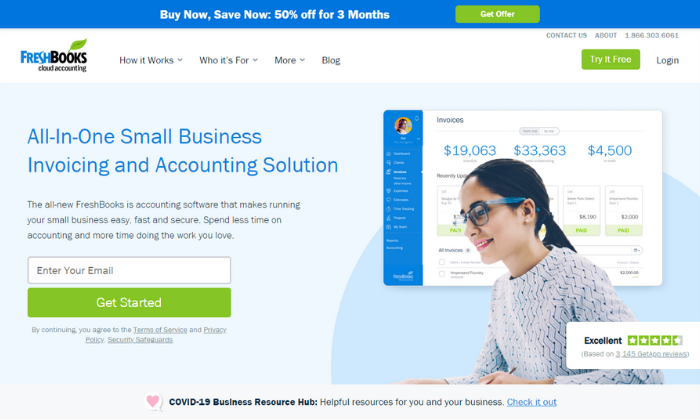
Furthermore, your account dashboard includes a birds-eye view of your business’s financial health. It shows outstanding invoices, total profit, revenue by source, expenses, and unbilled time all in one centralized location.
Plus, you can manage your books on the go using their robust mobile app.
And the software integrates with over 200+ business tools like Shopify, G Suite, Stripe, Zoom, Squarespace, and Gusto. So, you don’t have to worry about incompatibility with most of the tools you already use.
But like most accounting software, FreshBooks charges a transaction fee of 2.9% + $0.30 per transaction for credit cards and 1% for ACH transfers. However, these fees are pretty standard across the industry, and you don’t have to worry about any additional hidden costs.
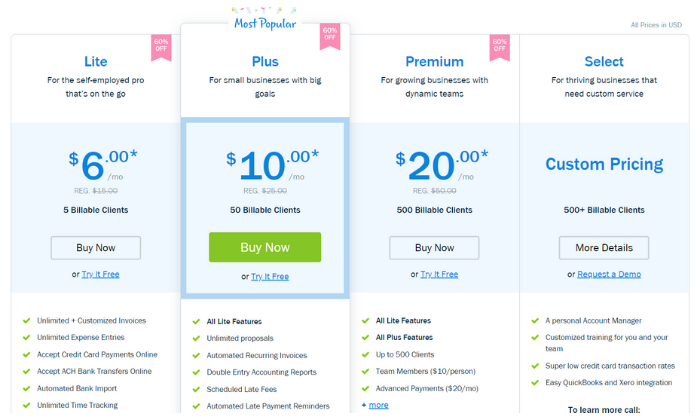
Their paid plans start at $6 per month for up to five clients making it very affordable for freelancers, solopreneurs, and small business owners alike.
However, FreshBooks can scale alongside your business with other plans, including:
Plus — $10 per month for up to 50 clients
Premium — $20 per month for up to 500 clients
Select — custom pricing for more than 500 clients
Sign up for a free trial to take FreshBooks for a test drive today! Alternatively, you can save 50% off your first three months. However, you have to choose one offer or the other.
#2 – QuickBooks Review — The Best Accounting Software for Small Businesses
If you’re running a small business or starting a new business from scratch, QuickBooks is a popular choice — and for a good reason. In fact, over 5.6 million users around the world trust them for their accounting needs.
From small businesses to self-employed individuals, QuickBooks offers an array of excellent accounting solutions to match your needs.
Furthermore, you can choose from cloud-based, desktop, or POS system deployment, depending on your situation. However, I highly recommend the cloud-based solution for most businesses.
Plus, the online software integrates with apps like PayPal, Square, and Shopify to simplify cash flow management in one centralized location.
With their online solution, you can easily access your account anywhere globally with an internet connection. Plus, you can use the mobile app to take pictures of your bills and receipts rather than filing a heap of paper receipts in your office.
You also get access to features like:
Customizable invoices
Income and expense tracking
GPS mileage tracking
Automatic sales tax calculations
Bank and credit card integration
Expense categories
Standard reporting
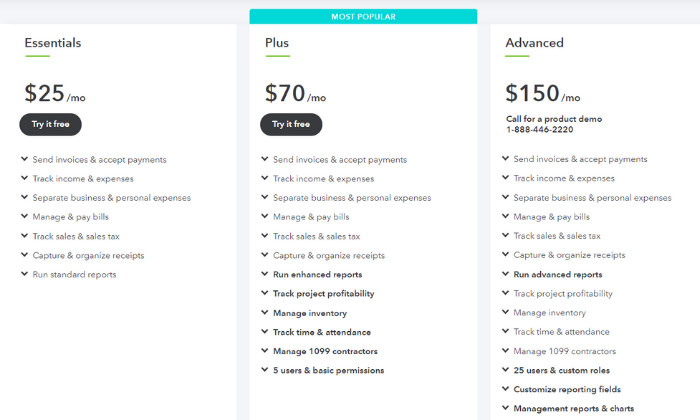
And you can easily upgrade to an advanced plan if you outgrow the basic plan or need more advanced features. Some of their advanced features include 1099 management, inventory management, and time/attendance tracking.
So regardless of what you need, there’s a plan to suit your needs.
The cheapest plan starts at $25 per month. And you can add payroll services to your plan, starting at an extra $45 per month + $4 per employee per month with more advanced options available.
Furthermore, QuickBooks charges $0.25 + 2.9% for invoices, 2.4% for swipes, and 3.4% for keyed payments per transaction. Alternatively, they charge 1% for ACH transfers. And you can save up to 40% on transaction fees if you charge more than $7,500 per month.
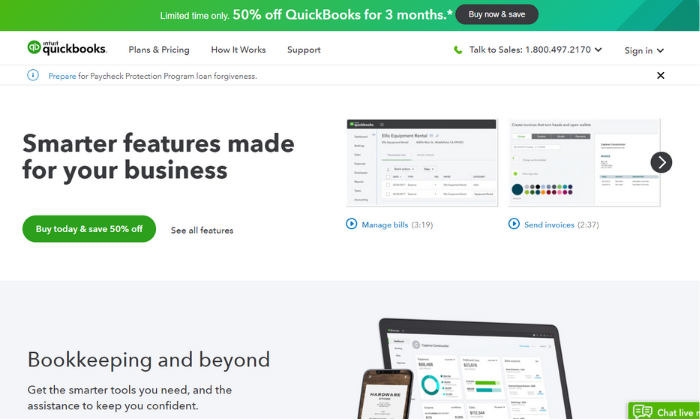
Like FreshBooks, QuickBooks offers a 30-day free trial OR 50% off your first three months.
#3 – Zoho Books Review — The Best for Businesses with 50+ Customers/Vendors
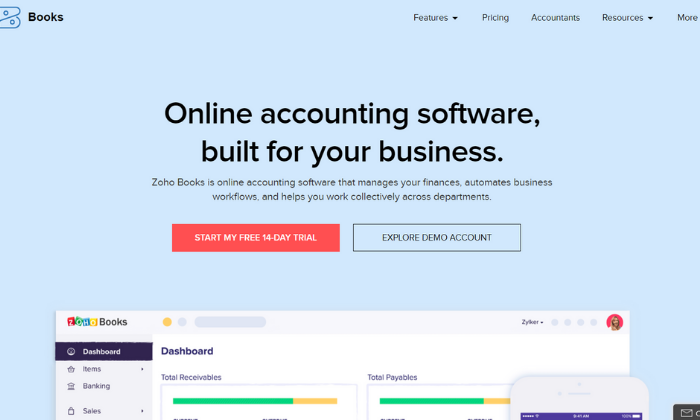
If you manage many clients and vendors, Zoho Books is one of the most affordable accounting software to consider. Their cheapest plan includes up to 50 billable clients, and they also have packages for up to 500 billable clients as well.
So, you don’t have to worry about exceeding your monthly limits.
Furthermore, Zoho Books includes access to powerful features like:
Tax compliance tools
Custom quotes and estimates
Automatic payment reminders
Vendor and expense tracking
Inventory management
Automatic bank feeds
Time tracking
Customizable invoices
Role-based access
40+ integrations
Zoho Books also offers an intuitive mobile app for managing your accounts on the go. With the app, you can track your mileage, reach out to customers, track your time, create invoices, and more.
Each plan also includes a private client portal for accepting payments, unlimited phone and email customer support, free SSL encryption, and open rest APIs to connect with third-party applications.
Furthermore, Zoho offers a wide range of other business tools that integrate seamlessly together. Running a subscription-based business? Or need advanced inventory management? Maybe you need extensive expense reporting for your team.
Odds are, Zoho offers what you need. You can bundle tools together to save money and create a custom business management system for your business.
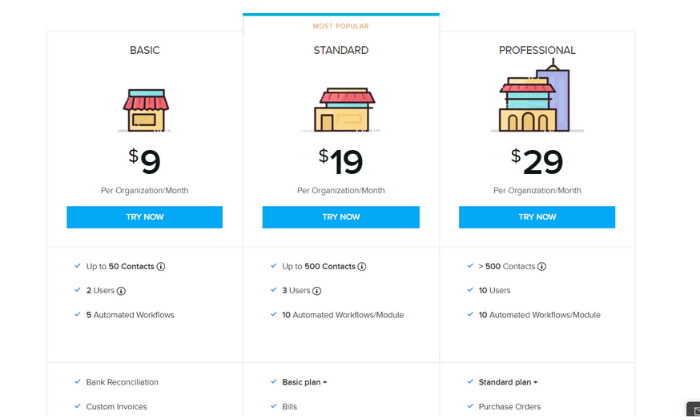
I highly recommend starting with the Basic Plan ($9 per month) and upgrading to an advanced plan when and if you need to. The Basic Plan includes up to 50 contacts, two separate user accounts, and five automated workflows to simplify your accounting processes.
Zoho’s advanced plans include:
Standard — $19 per month for up to 500 contacts
Professional — $29 per month for more than 500 contacts
All of which are very affordable for businesses of all sizes. Furthermore, you can add extra users and 50 auto-scans for $2/month and $5/month, respectively.
#4 – Sage 50Cloud Review — The Best Desktop Accounting Solution
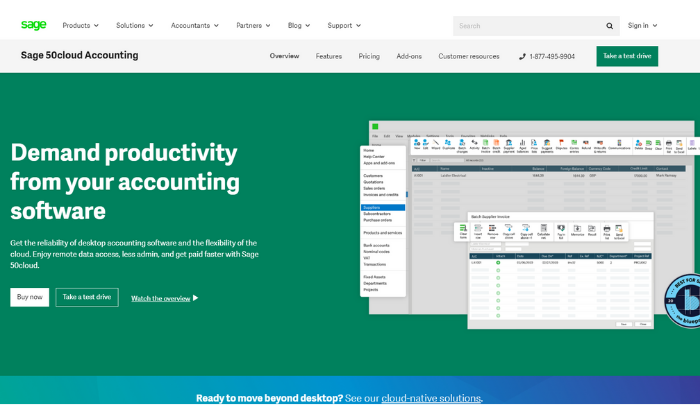
Sage 50Cloud is a desktop accounting application seamlessly connected to the cloud. So, you get the speed and reliability of a desktop software paired with the flexibility and remote accessibility of using the cloud.
Furthermore, Sage offers cloud-based accounting software, so you’re not limited to the desktop application if that’s not your thing. However, their desktop solution is where they really shine.
You can securely access your accounts anywhere, anytime, allowing you to work when you want and how you want. So, you’re not limited to your desktop computer despite the benefits of using desktop software.
Plus, as the #1 rated accounting solution for small businesses, it includes features like:
Cash flow management
Flexible invoicing
Recurring invoices
Pay Now functionality
Accounts payable + banking
Automatic reconciliation
Advanced inventory management
Job and project costing
Payroll processing
As you can see, Sage 50Cloud includes a robust set of features you typically have to pay extra for with the other options on this list (i.e., payroll).
And with those advanced features comes an advanced price tag.
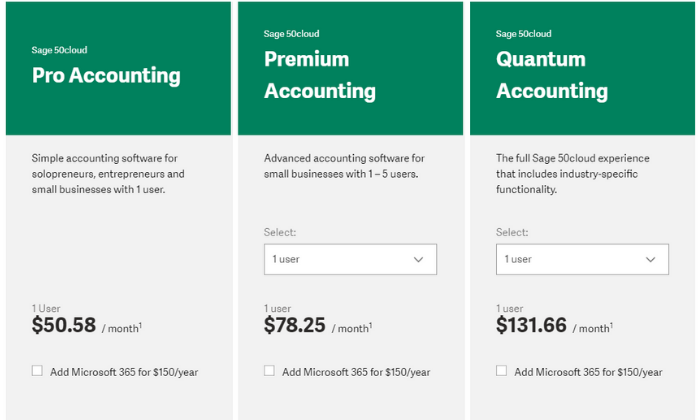
So if you’re looking for basic accounting software, you’re better off going with FreshBooks or QuickBooks. However, if you need these advanced features, pricing starts at $50.58 per user per month.
Their paid plans include:
Pro Accounting — $50.58 per month for simple accounting
Premium Accounting — $78.25 per month for advanced features
Quantum Accounting — $131.66 per month for all features
However, you can save a bit more by choosing an annual plan and paying in advance. Additionally, you can subscribe to Microsoft 365 for an extra $150 per year.
You can try Sage’s cloud-based accounting software free for 30 days with no installations and no credit card required. After that, you can purchase Sage 50Cloud if it’s a good fit for your business.
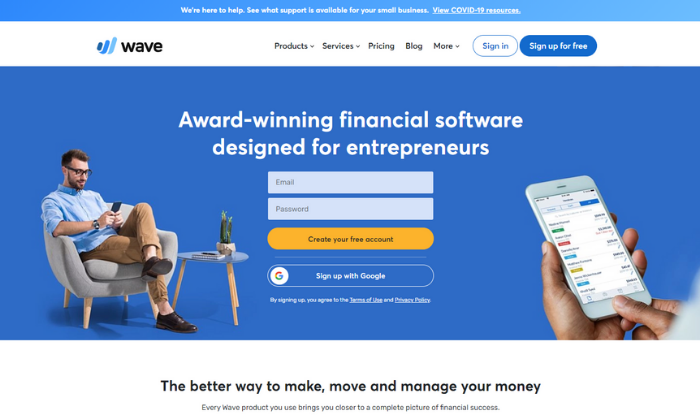
#5 – Wave Review — The Best Free Accounting Software
If you have a tight budget or need a simple accounting solution, Wave is an excellent choice. It’s an award-winning finance software for entrepreneurs and businesses of all sizes.
Plus… their accounting features are entirely free with no hidden fees or monthly payments. However, they charge a standard transaction fee of 2.9% (3.4% for American Express) + $0.30 for credit cards and 1% for ACH transfers.
You can also add payroll services starting at $20 per month. But accounting, invoicing, and receipt scanning are all free forever.
This free accounting software includes features like:
Unlimited income and expense tracking
Unlimited collaborators and accountants
Double-entry accounting system
Powerful reporting and analytics
Bank + credit card connections
Tax categories
Recurring invoices
Automatic payment reminders
Unlimited receipt scanning
2-business-day payouts
Plus, you get unlimited email support, as well. And if you’re wondering how Wave stays in business, it’s through their transaction fees and payroll services. So, yes. The software really is free forever, with no hidden fees.
Furthermore, you can download Wave’s mobile app to access and manage your accounts on the go from anywhere with an internet connection.
I recommend FreshBooks (for freelancers and individuals) or QuickBooks (for small teams). These two solutions are suitable for most users. They’re incredibly affordable, easy to use, and scalable. Plus, they include all your essential accounting features.
And if you’re on a tight budget, Wave is an excellent free alternative.
However, the best accounting software for you depends on what you need and what you can afford. So, feel free to use the characteristics we talked about as you go through the process of choosing the right software for your business.