Maybe the term fills you with dread. After all, you’ve probably heard horror stories about how search engines like Google punish websites if they duplicate so much as a title or phrase. Duplicate content must be one of the worst SEO mistakes you can make, right?
Don’t worry, it’s not.
In fact, most people who spread these rumors have little (or no) understanding of what duplicate content means and how it impacts your SEO.
Below, I’ll walk you through exactly what duplicate content is and how it actually affects search rankings. I’ll also dispel some common myths along the way.
What Is Duplicate Content?
Duplicate content is content that appears at more than one location or URL online. Meaning, if the same information is available at multiple URLs, it could be considered duplicate content.
A study by Raven found that up to 29 percent of pages have duplicated content.
What actually counts as duplicate content, though? Is it a full webpage, or could it be a few lines of text?
You’re hosting the same product description and image at two different URLs, so it’s technically duplicate content.
Why Should You Avoid Duplicate Content?
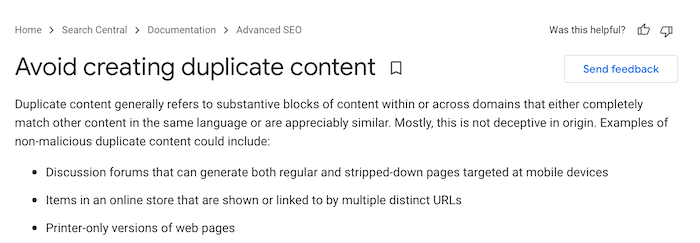
According to Google, duplicate content won’t tank your SEO rankings. They specifically say:
“Duplicate content on a site is not grounds for action on that site unless it appears that the intent of the duplicate content is to be deceptive and manipulate search engine results. If your site suffers from duplicate content issues, and you don’t follow the advice listed in this document, we do a good job of choosing a version of the content to show in our search results.”
However, you should limit your duplicate content where possible.
Why? Well, search engines like Google don’t know which URL to show first in the search results. They’ll try to determine which result is most relevant to the particular search query, but there’s a chance they’ll get it wrong.
If Google gets it “wrong,” your target audience may not see your content. Or, they won’t engage with your content, because the page Google shows them doesn’t answer their search intention.
UX is crucial. In fact, UX improvements have an average ROI of 9,900 percent.
This means improving UX by lowering duplicate content is well worth the effort.
Making an effort to avoid duplicate content helps me deliver the best UX possible, which is what we’re all aiming for as marketers, right?
5 Myths About Duplicate Content
Just because you should limit duplicate content doesn’t mean it’s all bad. To help you better understand how this type of content really impacts SEO, let me bust the five most common myths.
1. Having Duplicate Content Hurts Your Search Ranking
Although duplicate content may, in some cases, affect your search rankings, this type of content has far less impact on your search rankings than you might think.
Remember, Google considers a whole host of factors when crawling, indexing, and ranking pages. Make sure you’re building a reputation for creating unique and valuable content so Google is more likely to crawl your page and rank it higher than duplicate pages.
Still worried about your page ranking? Ensure you highlight your new post on social media channels. Your audience can help promote your page through clicks, likes, links, and shares so it secures the visibility and reach it deserves.
2. All Duplicate Content Gets You Penalized
Google doesn’t make a habit of penalizing duplicate content. Seriously.
The one exception? Deceptive behavior. According to Google’s Webmaster Guidelines, if you’re duplicating content just to manipulate search engines, they’ll remove the offending pages or lower your search rankings.
However, for most marketers, duplicate content is nothing to stress about. If you publish posts with quality content and steer clear of poor SEO tactics like keyword stuffing, you won’t face penalties for duplicate content.
Still not convinced? Check out this SEO chat featuring Google’s John Mueller and jump to around 28 minutes in:
According to Mueller, some duplicate content on a website is just not a big deal.
3. Scrapers Will Hurt Your Site
Some bloggers despise scrapers. I understand why. The whole idea of a bot “scraping” or extracting data from your website seems pretty alarming, at least at first glance.
Do I hate scrapers, though? No. Scrapers don’t help your website, but they don’t hurt it either.
You really shouldn’t worry about that little scraper blog with no original content and no visitors. Google takes one look at that page and knows it’s irrelevant, so it won’t damage your rankings.
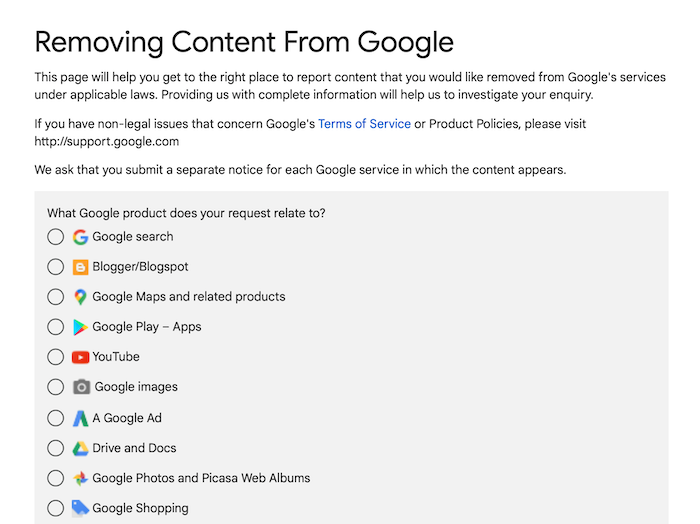
However, if the scraped version does outrank the original, contact the site host and request content removal. Or, file a request with Google to have the page removed under the Digital Millennium Copyright Act by completing Google’s Legal Troubleshooter:
What about disavowing links to your website from scraped versions? It’s risky, actually.
Google recommends you only disavow links if you have a large number of “spammy” links pointing to your website and you’re facing manual action against your site. Meaning, trust Google to do its job and focus on crafting unique, compelling content to boost your rankings.
4. Reposting Your Guests Posts on Your Own Site Doesn’t Help
That said, if you decide to guest post, there’s a chance your usual audience won’t see your guest posts, so you might want to republish this content on your own blog. Won’t republishing the guest post hurt the rankings, though?
Not really.
I’ve guest posted for some great sites, and some of them actually encourage authors to republish content on their own blogs after a few weeks. What you might do, though, is add a little HTML tag to the post to distinguish an original (canonical) version of an article from a republished one.
Here’s the tag: rel=“canonical”. If you republish a guest post from, say, “Main Blog,” your tag might look like this:
The tag helps Google identify the original post and rank accordingly.
5. Google Can Tell the Original Content Creator
Normally, search engines like Google can’t identify the original content creator or URL.
That’s one of the main problems with duplicate content. Meaning, there’s a chance someone could steal your content, publish it on their own blog, and call themselves the author.
That’s plagiarism. If this happens to you, complete the Legal Troubleshooter I described above, or contact an attorney for more advice on handling copyright violations.
Google takes plagiarism very seriously. If it happens to you, you’ll be thinking about lawyers, not search engines.
5 Facts About Duplicate Content
OK, so we’ve just busted some seriously long-standing SEO myths around duplicate content. What’s the truth, though? Let’s take a look.
1. Use 301 Redirects to Avoid Duplicate Content Penalties
According to a study by SEMrush, 8.58 percent of all websites have redirect loops – so you need to be careful when you use this strategy.
Minimize duplicate content by redirecting an old or obsolete URL to the new version. Here’s when this is helpful.
You recently moved your website to a new domain.
After merging two websites, you’re trying to redirect outdated URLs.
Your homepage has multiple URLs and you want to choose a “canonical” one.
After changing your website, you’ve deleted a page.
For example, if you set up a permanent redirect, your HTML may look something like this:
301 redirects are a simple way to eliminate pesky duplicate content from your site.
This guide will walk you through how to set up 301 redirects in WordPress or you can make changes directly to the HTML using the code above.
2. Duplicate Content Impacts Link Equity
“Link equity” refers to how certain links pass authority and value from one page to another. If you’re trying to build link equity, here’s why duplicate content poses a problem.
Search engines don’t want to show multiple pages with the same content, so they must decide which page is the best fit. Visibility falls for every duplicate page, which reduces your link exposure.
Links matter. According to Backlinko, the top result in Google has 3.8 times more links than positions two to ten.
Even worse, external sites might link to a duplicate page rather than your “preferred” location. If different sites link to different versions of the same page, you’re diluting the value of these external links.
Duplicate content damages your link-building campaigns. You can avoid this dilemma by either adding a canonical tag or redirecting page duplicates to a preferred location.
3. URL Variations Can Cause Duplicate Content Problems
Minor URL variations, although pretty harmless, cause duplicate content. URL variations stem from, for example:
analytics code
click tracking
print-friendly versions of pages
session IDs
For example, “https://theurltag/green” might have the same content as “https://theurltag/print/green”, although one is just a print-friendly version.
You can set your preferred domain and tweak parameters so Google knows which URL parameters to crawl and which to ignore.
4. Google Recommends Minimizing Boilerplate Repetition
When we talk about “boilerplate” content, we’re usually talking about repetitive statements like copyright notices or legal disclaimers.
When these standardized blocks of text appear in the main body of content, Google might consider them duplicates.
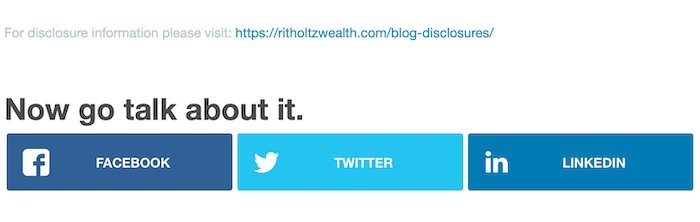
Google has guidelines for dealing with boilerplate statements. For example, if you use disclaimers, you might write very short legal disclaimers for every article and include a link to a full legal policy.
Here’s an example from The Reformed Broker where they link to a main disclosure page:
Otherwise, ensure you use original language where possible to avoid possible duplication issues.
5. One of the Best Ways to Avoid Duplicate Content Is Understanding Your CMS
Your CMS or content management system could be creating content duplicates you don’t even know about.
For example, a single article might appear on a homepage and within a search category e.g., “https://pretendsite.com/article-a” is the same as “https://pretendsite.com/article-category/article-a.”
How do you fix this? By understanding the ins and outs of your CMS. Once you learn how to spot duplicate content, you have some options.
You might include the canonical tag, where helpful.
Or, you might use the “Noindex” tag to stop Google from indexing the page (especially helpful for printer-friendly pages).
Alternatively, you can rewrite content, even a little, to keep it original.
Frequently Asked Questions About SEO and Duplicate Content
Hopefully, you’re now clear on what duplicate content is and how it actually affects SEO. However, here’s a quick recap of the main points we explored.
Is duplicate content still bad for SEO?
Well, Google doesn’t penalize duplicate content, but it can sometimes confuse search engines and prevent your page from ranking properly. You should focus on writing original content regularly.
How do you check for duplicate content?
You can use Google to check for URLs leading to duplicate content, or you can use a free online duplicate content checker. Don’t forget to also check if your CMS is generating duplicate content so you can take steps to mitigate the SEO impact where possible.
How much duplicate content is acceptable?
Technically, there’s no set limit for how much duplicate content you can have. However, it’s still worth minimizing the amount of duplicate content you use—or at least trying to mitigate its impact on your SEO or website ranking.
Is duplicate content illegal?
There’s a huge amount of duplicate content online. However, it’s illegal for another company to copy your original content, publish it on their website, and claim credit for the content creation. Always take action against copyright violations.
Conclusion: Duplicate Content
Despite what many marketers believe, duplicate content isn’t a huge problem — unless you’re using it maliciously.
Google won’t penalize you with a low search ranking just because it runs across duplicate content here and there. That said, it’s still worth identifying duplicate content and removing it.
Avoid boilerplate repetitions, use 301 redirects where possible, and check if your CMS is generating duplicate content needlessly.
URLs with the top spot on Google have an average click-through rate of 34.2 percent, compared with a CTR of 17.1 and 11.4 percent for the second and third spots, respectively.
But how do you get the top spot in organic results? With great SEO!
The tricky thing about SEO is that Google (and other search engines) change their algorithms frequently. New elements are being considered every day as search engines get more advanced, and what was important before might change in the future.
So…what are some current important factors that can affect your SEO and improve your search engine performance?
Even if you run paid ads, you should still have a solid organic strategy in place as well.
Why?
Good SEO can improve many key metrics, including the most important one: revenue.
If you move up even one spot in search results, your CTR can improve by as much as 30 percent. Since the average conversion rate is 2.9 percent (which can be quite a bit higher in certain industries), you can grow your revenue significantly if your site has a solid SEO foundation.
There really isn’t a downside to improving your website’s SEO either.
If you aren’t ranking in SERPs for target keywords, you’re already missing out on valuable leads and traffic. You don’t have access to a key audience segment who might’ve gained value from your business delivered more long-term success.
So, even if you have never focused on SEO before, the strategies you will learn in this webinar will deliver results.
Who Will Benefit from this Webinar
Regardless of whether you have a basic or advanced understanding of SEO, the information you will learn in this webinar will help your website get more organic traffic.
On top of getting more traffic, the actionable strategies taught in this webinar will also lead to more clicks, conversions, and revenue from your website. Even though paid ads will likely see higher conversion rates, you will get more overall conversions from organic traffic in the long run.
Digital marketers who already possess a solid foundation of SEO knowledge will also benefit from attending this webinar. The landscape of SEO changes regularly so staying up-to-date on new factors that impact rankings will set your skills apart.
Neil Patel is one of the most recognized names in the world of SEO with a blog that gets more than 7 million monthly views. So even if you already know the fundamentals of SEO and have experienced success, you will be learning more innovative strategies from one of the best of the best.
What Types of Businesses is the Webinar For?
Anyone who has a website to promoted their business will benefit from attending this webinar. Some examples include:
small business that need help getting more leads and conversions
e-commerce shop that want to drive more traffic to their website
bloggers who want to get more views from their content
brick-and-mortar stores that want to attract local customers
What You’ll Learn in This Webinar
In this webinar, Neil will go over 7 easy but powerful SEO tips that will deliver results.
Neil will go through important topics ranging from tools you should be using, how to approach your content strategy, standing out from competitors, delivering better user experiences, and more.
For each tip, we you will learn why it’s important, see how it can be used, and receive step-by-step instructions on how the tip can be implemented to improve your SEO.
Last year, all the marketing trends and predictions we mention end up happening somehow. Now, we want to make you aware of new marketing opportunities for 2022, making it the perfect time to dust off our crystal balls and start predicting what digital marketing trends we can expect to see.
There are several factors to consider in the content marketing realm, such as the continuing impact of the global pandemic, the growth of social platforms like TikTok, and the rise of the creator economy.
So, there’s a fair chance that the state of the marketing industry and the customer habits it fuels will be more exciting and unique than ever before.
Here are our top marketing trends and predictions in digital marketing for 2022:
The Social Impact of Storytelling
Rank and Win with Consumer-Driven Content
Use Personalized Content
Why You Need Shareable Assets
The Influencer Economy
Social E-commerce: The Innovative Way to Virtually Shop
Accessibility in the Digital Age
The Future of Browsing with Search Engine Optimization (SEO)
Let’s take a closer look at these 2022 digital marketing trends!
Marketing Predictions #1: The Social Impact of Storytelling
We are in an age of conscious consumerism, which means transparency with your audience is necessary.
Storytelling still is a marketing trend and will continue to be highlighted for you to pay attention to. It sets up a product or service from a positive and authentic perspective. Your content should immerse your users in a world that puts your brand values, voice, and style front and center.
There are many ways to go about storytelling in your content. Here are a few examples that are rising in popularity as avenues for extending brand awareness via storytelling:
Customer Testimonials: Customer testimonials are sourced directly from verified buyers. If customers crave authenticity from brands, highlighting customer-lead stories will establish trust and credibility with your audience.
Data-Driven Narratives: Data-driven narratives can also influence your customers’ relationship with your brand. Rather than storing data away in the archives, share it with your audience in a creative, thought-provoking way. Data-driven storytelling gives a voice to raw data and can turn insights into action.
Visual Content: Visual content, like graphics or videos, helps put a face to the brand. Video (on social media especially) is gaining recognition because it allows brands to directly connect with their audience and showcase themselves in an appealing way. A staggering 93% of marketers consider video content critical to their marketing strategy, meaning it’s almost certain to contribute a positive return on investment (ROI). And the completion rate of interactive videos is 90%, proving it will be effective for generating more leads this year.
Whether you use customer testimonials, data, or video content, there are many ways to weave an exciting story and forge a stronger relationship with your users.
Airbnb Introduces the Bélo: The Story of a Symbol of Belonging
Storytelling has been a long-standing trend, but with conscious consumerism on the rise, there’s now a high emphasis on brand ethics.
For example…
Airbnb used this marketing prediction very well and created a video to tell the unique story of their “Bélo.”
After seeing this video, viewers will associate Airbnb with a sense of belonging and inclusion—and that’s just good marketing.
Marketing Predictions 2: Rank and Win with Consumer-Driven Content
Consumer-driven content centers around the pain points and needs of your target audience. Instead of guessing what your audience wants, use data, surveys, and reviews to understand what type of content they need.
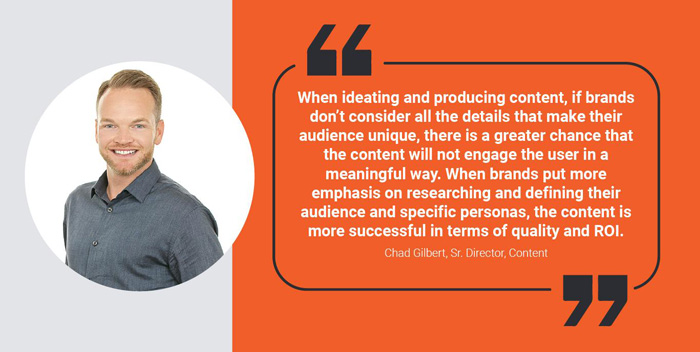
When ideating and producing content, if brands don’t consider all the details that make their audience unique, there is a greater chance that the content will not engage the user in a meaningful way,” says Chad Gilbert, Sr. Director, Content (NP Digital). He adds, “when brands put more emphasis on researching and defining their audience and specific personas, the content production is more successful in terms of quality and ROI.
What types of educational content do they spend the most time engaged with?
What products drive the highest sales?
What causes the most returns?
Talk to your customer support team to find out the most common questions and complaints. By understanding your audience’s pain points, you can create a better web experience and product for them.
Don’t be afraid to ask your customers directly what they want.
For instance, with this marketing trend in mind, you can use social polls or on-site surveys to gather data.
In 2022, customer-centric content will be vital for brands. Customers are depending on you to solve their problems and deliver information throughout the buyer journey.
By uncovering your audience’s greatest pain points and needs, you can provide solutions that resonate with them long after purchase.
Dove Ad Makeover Campaign
Dove is a great brand that shows us that they pay attention to
marketing predictions and marketing trends. They have become famous for creating inclusive campaigns and challenging the status quo.
Their Ad Makeover campaign was no exception.
In it, Dove goes after the harmful messaging in online ads targeted at women, and specifically, their bodies.
Dove recognized this pain point and took it on with grace. They involved their customers in the fight against body shaming and became a stronger brand.
Creating authentic, consumer-focused content will help qualified leads become long-standing advocates for your brand.
Show your customers you care.
They will notice.
Marketing Predictions 3: Use Personalized Content
In a study conducted by Salesforce, researchers found that 66% of customers expect companies to understand their unique needs and expectations.
Customers do not want to feel like a number, so personalized interactions and connected experiences are not just smart business moves—they’re necessary.
The experience a company offers is the differentiator for today’s consumers.
Personalized content uses demographic, behavioral, or contextual data to provide customers with ultra-relevant and relatable messaging.
Get to know your audience with chatbot features that offer personal shopping or create quizzes that present users with a product that best fits their needs.
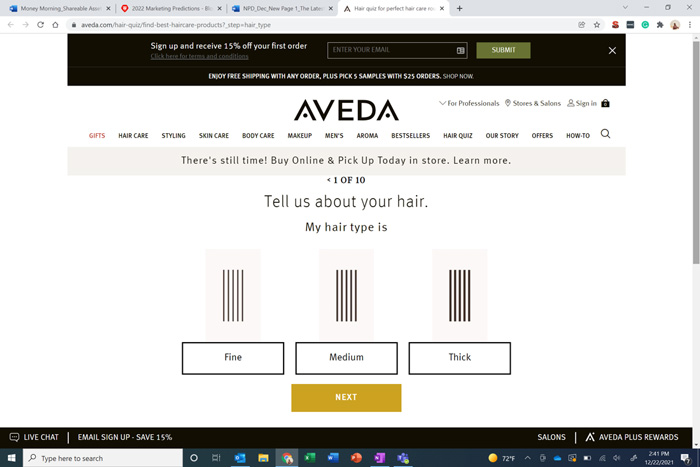
Aveda’s Hair Quiz
Aveda personalizes its content experience by presenting users with a hair quiz that helps them learn which Aveda products work best for their hair type.
When you’re done with the quiz, you receive product recommendations specific to your personal hair needs.
Working with this marketing trend correctly enables customers to feel confident in their purchase since the recommended products are based on the information they provide.
Marketing Predictions 4: Why You Need Shareable Assets
Shareable assets are pieces of content meant to generate brand awareness through digital public relations (DPR), backlinks, and social engagement.
From on-page downloadable templates to infographics, there are many shapes a shareable asset can take.
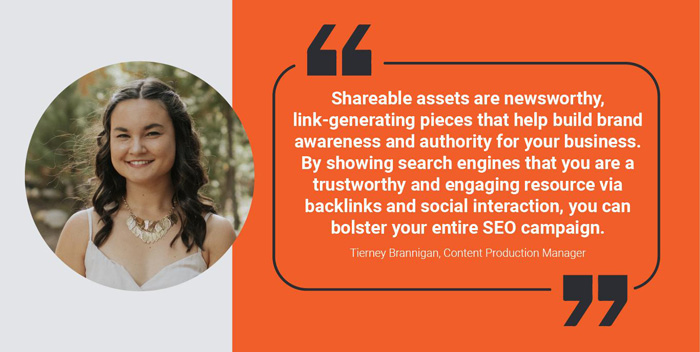
“Shareable assets help build brand awareness and authority for your business,” says Tierney Brannigan, Content Production Manager (NP Digital). By showing search engines that you are a trustworthy and engaging resource via backlinks and social interaction, you can bolster your entire SEO campaign.”
Tierney Brannigan, Content Production Manager at NP Digital
Try using shareable assets to touch on relevant and current affairs.
Sharing these materials can generate SEO-boosting backlinks, establish authority in your niche, and offer helpful information to your target audience. Shareable assets can:
Increase brand awareness or awareness around a new product or service.
Kajabi’s Shareable Asset on the Imposter Phenomenon
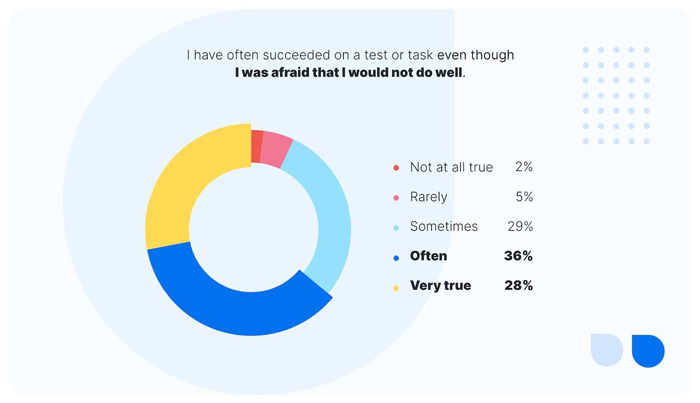
Kajabi knew how to work with this marketing prediction and created a shareable asset on imposter syndrome. They ran a survey to ask entrepreneurs and small business owners about their experience with this condition.
The data is insightful and appeals to publications about business and mental health.
This piece helped get Kajabi’s name out there and extended their reach to an audience they may not have previously had access to.
Marketing Predictions 5: The Influencer Economy
According to Market Watch, the influencer marketing industry nearly doubled in value from 2019 to 2021; creators managed to grow this market from $6.5 billion to $12.8 billion.
Meanwhile, experts at Collabstr project that influencer marketing will be a $15-billion market by the end of 2022.
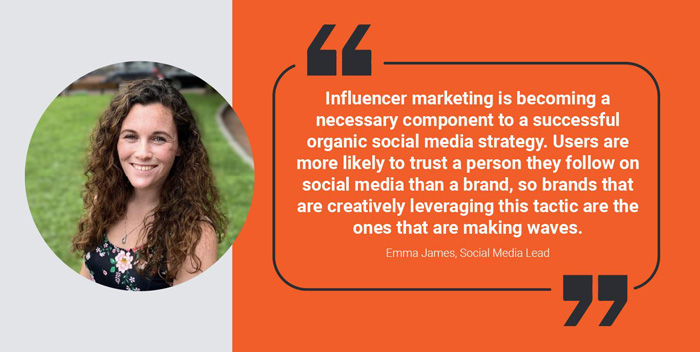
“Influencer marketing is becoming a necessary component to a successful organic social media strategy,” said Emma James, Social Media Lead at NP Digital. “Users are more likely to trust a person they follow on social media than a brand, so brands that are creatively leveraging this tactic are the ones that are making waves.”
Find out what types of influencers your target market follows and put your product in their hands. If you’re working on a budget, don’t forget that there are micro-influencers who won’t cost you thousands of dollars.
They may even be game to advertise your product in exchange for free samples.
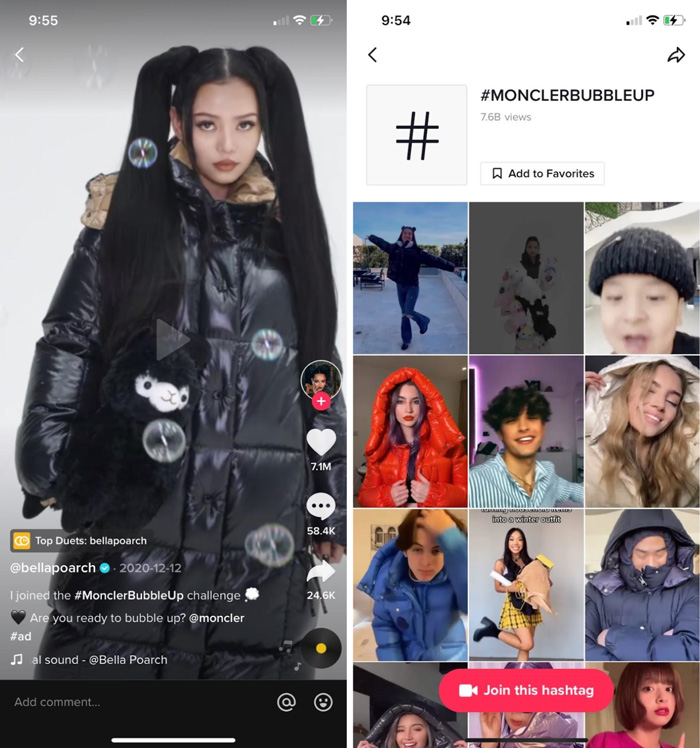
Moncler’s Bubble Up Challenge
Moncler’s Bubble Up challenge was named one of the ten best influencer marketing campaigns of 2021. TikTok mega-influencers, Bella Poarch and Charli D’Amelio took the #MonclerBubbleUp campaign to the next level.
The viral challenge gained 7.6 billion views and successfully spread awareness and engagement. The success of this campaign lies in the number of people this relatively obscure, high fashion Italian clothing brand was able to reach.
This year, we will see creators and influencers taking more control of the economy in their respective industries.
The creator economy is rapidly expanding, as more brands partner with influencers to stay relevant, build partnerships, and connect deeply with their audience.
Marketing Predictions 6: Social E-commerce: The Growing Way to Shop Virtually
Social e-commerce is the convergence of e-commerce and social media.
With the right content marketing strategy, you can see tremendous results from this channel.
Social e-commerce was already set to be the next trending marketing strategy for the coming years. However, the pandemic brought explosive growth to online shopping and accelerated the rise of social e-commerce.
Based on buyer behavior in 2021, retail experts are forecasting social e-commerce sales to increase by more than 35%.
By 2025, predictions show social e-commerce is set to grow by nearly $80 billion . This means 5% of the country’s retail e-commerce sales will be coming through social.
According to research conducted by The Harris Poll on behalf of Sprout Social, 73% of businesses already include social e-commerce into their marketing strategy, and 79% expect to sell on social in the next three years.
Your brand’s social e-commerce strategy should incorporate user-generated content and niche-specific influencers.
And don’t forget to include calls to action in your social posts, either as clickable elements on your photos and videos or in the social copy itself.
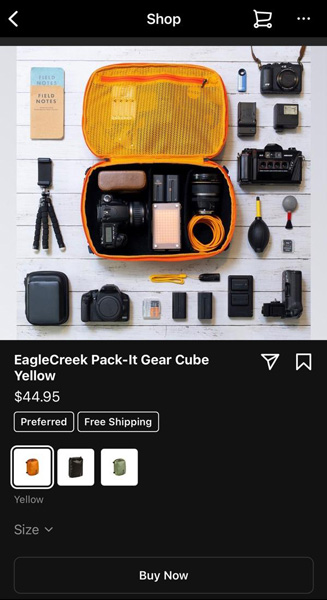
EagleCreek’s Instagram Store
‘Buy Now’ options on Instagram:
Eagle Creek uses the ‘Buy Now’ features of Instagram’s social e-commerce settings to adapt to changes in consumer trends. The ‘Buy Now’ feature allows users to purchase items as they scroll through a brand’s feed.
The user can also save the item to their Instagram cart if they want more time to think it over.
However, the goal of ‘Buy Now’ is for the user to purchase straight away without being pulled away from the page.
Afterward, they can continue to explore the brand at their fingertips.
Marketing Predictions 7: Accessibility in the Digital Age
Prioritizing accessibility in 2022 will ensure your brand makes inclusive strides in communication efforts. Digital accessibility refers to the ability to access or enjoy a system’s design, tools, and technologies.
Essentially, creating a universal design ensures all online properties are optimized for people with disabilities or impairments.
15% of the world’s population experiences some form of disability. When customer experience is a leading priority in 2022, brands should care about making their digital properties more accessible.
Creating accessible content isn’t just a best practice. It’s a necessity. A growing number of companies have been sued for not having accessible websites.
Don’t be a part of that list!
A lack of accessibility stunts business growth and tarnishes brand image. Put an accessibility audit on the roadmap for 2022 and see how an inclusive design pays off in the long run.
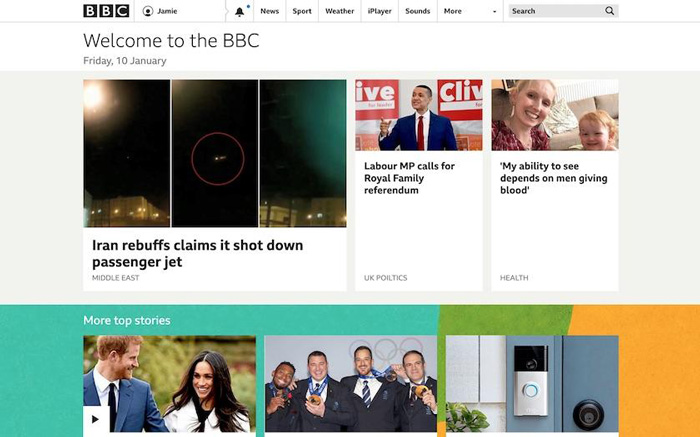
Here you can see BBC’s website design offers a Minimal Viable Design (MVD). Their interface and familiar design give control while providing choices to the user. The prioritized features give users the option for quicker navigation, content discovery, and preference management.
They also include an “Accessibility Help” button that activates alt text descriptions and sign language content for users with visual or hearing impairments.
Marketing Predictions 8: The Future of Browsing with SEO
SEO is not a new strategy, but local SEO and multicultural SEO are starting a new conversation in modern-day marketing strategies.
SEO enhances the discoverability of websites and content—especially on Google.
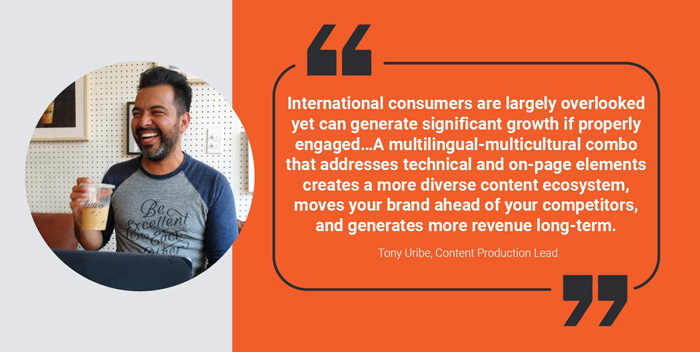
“Now more than ever is the time to invest in a multilingual SEO and multicultural content program. International consumers are largely overlooked yet can generate significant growth if properly engaged,” says Tony Uribe, Content Production Lead (NP Digital). “Get ahead of your competition by creating world-class content with language and cultural nuances that speak to new audiences. A multilingual-multicultural combo that addresses technical and on-page elements creates a more diverse content ecosystem, moves your brand ahead of your competitors, and generates more revenue long-term.”
Local SEO populates searches for a specific, local area. Businesses with brick-and-mortar stores can benefit from having their local audience find them through a web search.
In 2022, we expect local content and a well-optimized mobile website to play a more significant role in SEO. A staggering 93% of shoppers recognize the importance of shopping through small businesses, so local SEO may be worth adding to your marketing strategy.
Multilingual campaigns can also increase your reach and show your brand’s social awareness.
If your brand wants to resonate on a larger scale this year, showcase your content in multiple languages.
SEO still promises to evolve as one of the most scalable and cost-effective investments for digital marketing strategies.
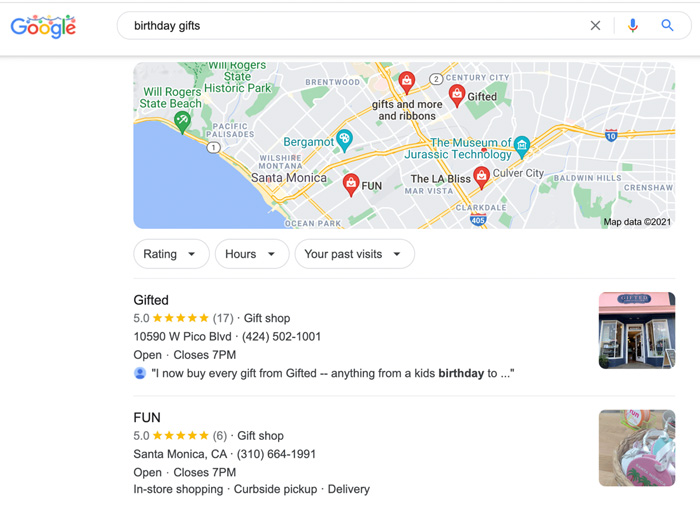
Small Shops Win Big with Local SEO
This is a great example of how local SEO can increase a business’ visibility and revenue, regardless of its size or notoriety. When you search “birthday gifts”, Google returns a mixed SERP. There are:
Google Ads
Traditional links, which are dominated by marketplaces like Amazon and Etsy
It’s all about making moves and investments to become a better, more transparent brand, so your audience feels confident, informed, and fulfilled when making a purchase.
During this transformation, you will also notice your brand strengthen in a well-rounded capacity that will better connect you to your intended audience.
After all, your brand should be doing more than selling products.
Set yourself apart and educate your customers about who you are and why they should trust you.
Become the subject matter expert in your field.
Connect with your consumers and acknowledge their needs.
By putting consumers first in 2022, they will also put you first.
from Neil Patel's Digital Marketing Blog https://ift.tt/LHWm3dG
via IFTTT
If your website is no longer reaching its potential, then it might be time for a redesign. One case study found leads improved by 314 percentfollowing a website redesign and SEO campaign.
Although redesigns can be expensive, it’s a better option than bleeding money year after year with an inefficient website.
When redesigning your site, it’s important you avoid the pitfalls that can severely hamper your SEO. To help you do this, here’s my website redesign SEO checklist.
What Is a Website Redesign?
A website redesign involves large-scale changes to your website. During a redesign, elements of your code, content, structure, and visuals may change dramatically, giving your site a completely fresh look.
This is a natural—and important—part of a website’s development. As much as 50 percent of consumers believe website design is an important part of a company’s brand.
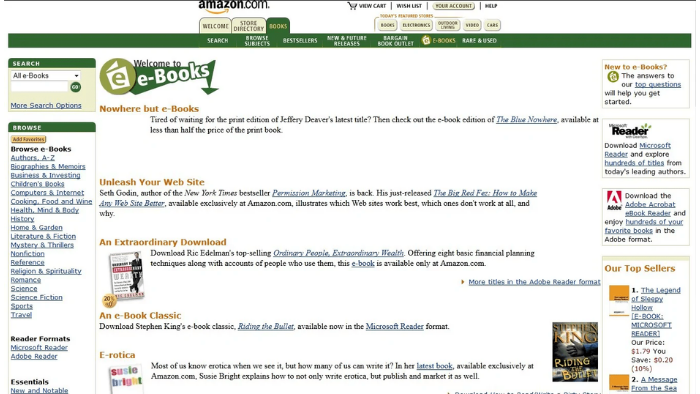
Even if you had the greatest website in the world back in 2001, it would be looking very out of place today if you didn’t make any large changes to it . Here’s what an Amazon web page looked like back in 2001.
Design best practices change, technology changes, and your target audience’s expectations change; your website needs to change to keep up.
Accessibility plays a big part as well. When visiting a site for the first time, 38 percent of people will look at the page’s layout or navigational links.
Sometimes these will mean making smaller changes as part of a website refresh, but occasionally, you’ll need to make more large-scale changes in the form of a full-scale website redesign. Either way, you need to make sure you are following current best practices so your website redesign SEO isn’t affected.
Benefits of a Website Redesign
Website redesigns aren’t without risk (especially for website redesign SEO), but when done well, they offer significant upside. They can:
improve SEO and site performance
simplify the user experience
refocus your content strategy
give your site a facelift
offer faster load speeds
provide up to date security
The most obvious benefit is since your website serves as a modern-day shop front, you want to make it attractive.
If a physical store has a broken sign, poor lighting, and a dingy interior, it’s going to struggle appealing to people. It’s the same for a website; if it looks tired and out of date, your visitors are going to wonder if your business is tired and out of date as well.
A website redesign is about more than just a facelift.
Businesses change over time, and as their websites evolve and grow naturally, the structure of the website can become messy. You add new content categories, move things around on your nav bar, switch parent and child pages, and so on.
A simple rule when it comes to design and UX is that complicated design is rarely good. You want to make it as simple as possible for your visitors (and bots) to navigate your site and find what they’re looking for. A website redesign is a great opportunity to do this.
This is an ideal time to evaluate your site, decide on your goals, and create a redesign strategy that can help you achieve them.
It can be tricky to know when a website redesign is necessary. Chances are, you’re investing a good chunk of money in your redesign, so you want to get the timing right.
The thing to remember is user experience is absolutely essential in digital marketing. It’s going to show in almost every metric and, ultimately, it’s going to have an impact on your bottom line.
Conversion rates fluctuate, but if yours is in a downward spiral, then it might be time to consider a website redesign. They are also different depending on your industry.
For example, if your website is part of the Real Estate or Home Improvement industries, your conversion rates will be around 7 percent. However, if you are part of the Media & Entertainment industry, it might be closer to 18 percent.
One of the best ways to know if it’s time to make changes to your website is to use it from the point of view of your visitors. Imagine you’re visiting your site for the very first time and ask yourself these simple questions:
Does the branding seem on-point?
Do pages load quickly?
Is your site laid out in a logical way that’s easy to navigate?
Are your pages optimized for mobile?
Is it difficult to find the information you’re looking for?
Is your customer journey streamlined enough?
Compare your website to your competitors and see how you stack up. If you find your site is good in certain areas but missing a few details in others, a website refresh might be the answer. If there are lots of things holding you back on the other hand, then it’s probably time for a full website redesign.
Website Redesign SEO Considerations Before Getting Started
The top reason visitors leave a website is due to slow loading times—88.6 percent of survey respondents in a 2020 survey affirmed this. Page speed directly and indirectly affects SEO.
This is just one reason to be vigilant about multiple factors that can affect website redesign SEO— planning a redesign isn’t something that should be taken lightly. The rewards are great when things go right, but can be a nightmare if things do go wrong.
The first step is to consider your goals.
What do you want out of your website redesign? What realistic targets can you set?
To set the right goals, you’ve got to have some benchmarks for your current website performance. Make use of your analytics and come up with SMART goals.
Once you’ve come up with your goals, then you can begin thinking about a timeline. The important part here is to be realistic. As you’ll see in the website redesign SEO checklist, there are a lot of steps to consider, so make sure you give yourself enough time to do a great job.
Then you’ll need to put together the right team to carry out your vision. You’ll need talented designers, developers, and content managers to ensure things run smoothly, but don’t underestimate one key element: communication.
Your team needs to be working together and communication is extremely important.
Website Redesign SEO Checklist
This website redesign SEO checklist will help you stay organized throughout the entire process and make sure you don’t miss anything important.
1. Audit Your Existing Content
Content powers many websites’ organic presence. Eighty-two percent of marketers actively use content marketing, and many successful businesses are built off of it.
A website redesign SEO process has the potential to take your content efforts to the next level, but first, you’ve got to have a good picture of where it’s at.
First, use a tool like Screaming Frog to pull data on all URLs included in your website.
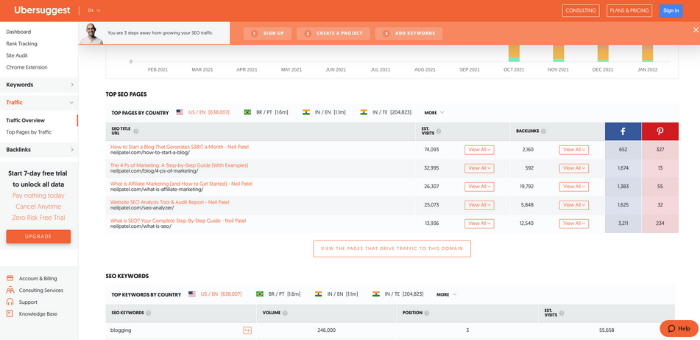
Next, use your analytics and Ubersuggest to perform a complete content audit to determine your most important pages, see which pages are irrelevant or not needed anymore, and which should be redirected or combined with other pages.
Follow these steps and you should have a clear idea of which pages (and keywords) are most important. Look at your traffic stats, rankings, and conversion goals to see where other improvements can be made.
2. Update Information Architecture
Over 60 percent of users report leaving a website due to bad navigation. Although website navigation and information architecture (IA) are different, your IA should inform how your site navigation is structured.
Information architecture is about how you organize information in your sitemap. Navigation is how you organize your website.
As mentioned earlier, 38 percent of people will look at a site’s layout and navigational links on their first visit.
Let’s use this example post: “How to Scale Mt Everest.”
If people have to find it by navigating through a tips page, then climbing strategies, then Asian peaks, before finally clicking Mt Everest, it’s going to be nearly impossible to find.
Wouldn’t it be a lot easier if the process could simply be Peaks > Mt Everest > How to Scale Mt Everest?
How you organize information all depends on what your website is about, why people come to your site, and what information is most valuable.
To update your IA:
Start by creating a map of your current structure.
Do competitor analysis to see how your competition organizes their websites.
Use a tool like Hotjar to see where users click and how they interact with your site.
Using note cards or post-its, write down the main categories for your site.
Next, write your subheadings based on the data you’ve collected.
Write down the URLs for pages you keep, and organize them under the subheadings.
Create a new sitemap based on what you created.
3. Carefully Map URL Redirects
In a Semrush study that analyzed 150,000 websites, 42.5 percent of the websites considered had broken internal links.
At the beginning, I mentioned how website redesign SEO processes aren’t without risk. The greatest of those risks is the potential of losing a lot of the hard work you put into building your organic profile.
A website redesign is going to change the structure of your entire site. Some pages will get moved, some will even get deleted.
Let’s go back to our amazing article on “How to Scale Mount Everest” that’s bringing in lots of organic traffic.
The problem is you posted it in a category that’s not very accurate, and you gave it a messy URL structure. Naturally, you want to fix this, so you change the category and URL.
You haven’t even touched the content, but this change can have huge consequences. This is because there are links out there already pointing back to the old URL, so when people (and bots) follow them, they end up at a blank page.
Unless you use URL redirects, you’re not only losing your referral traffic, but you also lose the page and domain authority those backlinks have already built up.
Essentially, your well-established and successful article has to start from scratch all over again.
Redirects can get very messy with a large website, so it’s important to carefully map them.
How to map URL redirects:
Create a list of all URLs you are keeping as well as those you will no longer be using.
Create another list of content you plan to keep that will be under a new URL.
Match each old URL with its new URL.
For the URLs you are getting rid of, match each to new content that covers a similar topic.
Give the list of new content mapping scenarios to developers to implement the redirects.
4. Optimize Content You’re Keeping
After doing your content audit, you should have a good idea of what content you plan to keep. If you’ve put the time and effort into your audit, you will likely have flagged some areas of improvement for some of your best pages.
Content decay is real. New information comes to light, competitors invest in their content, and suddenly your best pages have been pushed down the rankings.
Dropping from the top rank can immediately cut your organic traffic in half, so it’s important to optimize your existing pages.
Your website redesign SEO should help with the UX side of things, but what else can you do to improve content rankings again?
Use Google Search Console or an SEO tool like Ubersuggest to see how your content is performing.
See what keywords your top-performing content pieces are ranking for. To improve those rankings even more, add target keywords to headers, increase keyword density (without stuffing) throughout the post, and use keywords in image alt text and file names.
Dig into content that isn’t performing well. Make improvements by rewriting it or updating it with recent links and studies as well as data points, expert interviews, and visuals or videos.
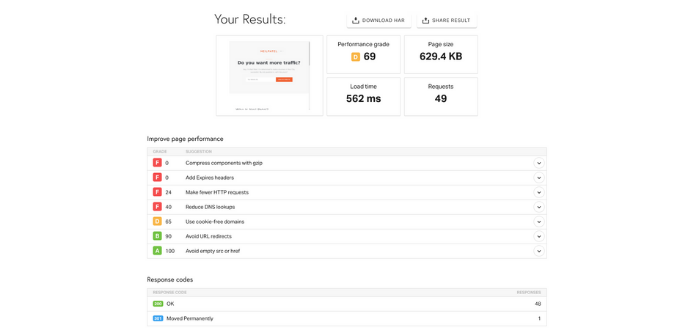
5. Optimize Page Speed
You can’t underestimate the importance of page speed. Everyone knows the feeling of waiting forever for a page to load, and you know what users do when that happens; they leave and look for information elsewhere.
Technology has made people expect things much faster these days, and interacting with a website is no different. 25 percent of people leave a website if the page takes more than four seconds to load, and a one-second delay results in a 16 percent drop in customer satisfaction.
Websites tend to become bloated over time. A website redesign SEO process let’s you take the opportunity to optimize page speed by addressing the bloat.
First, you want to make sure images are optimized to the correct size and format. Make embedded videos load properly and, if they don’t, use tools to decrease the file size or shorten the videos.
Next, reduce the number of HTTP requests. You should also minify your CSS and JavaScript, and clean up your HTML.
This should be something you consider from the very start of your redesign, and you need to stress it as a priority for your developer.
You can either do this manually by adding every URL in your updated site to the map or use an SEO plugin like Yoast or AIOSEO to generate one automatically.
This is a simple but important step. If Google is looking at an incorrect XML sitemap, their crawlers may ignore your site entirely (as confirmed by Google’s John Mueller).
7. Test Your Site After Redesign Is Complete
Across the internet, 0.27 percent of internal links are broken and 1.37 percent of external links are broken. Broken links are just one of the many issues you need to consider when testing your website after a redesign.
Redesigning an entire website is a huge undertaking so every detail isn’t going to come out perfect straight away.
If you launch your new site immediately without testing it first, these imperfections can have big consequences.
It’s tempting to get the ball rolling and start with your new website as quickly as possible, but you’ve got to put time into testing. Review all of the changes on your test site (get your friends and family on board as well) and go through the website with a fine-tooth comb.
You can create specific tasks for everyone involved in user testing your site.
test CTAs
test site navigation (it should make sense and all tabs/navigation links should be clickable)
pay close attention to interactive content and purchasing pages
have people text on desktop, tablets, and mobile devices (Android and iOS)
Add any errors you find to a spreadsheet and go through them with your developer.
Again, it’s about exploring your website through the eyes of your target audience. If you do this well, then you’ll fix a lot of errors before they reach the end-user.
Website Redesign SEO Frequently Asked Questions
How much do website redesigns affect SEO?
Website redesigns can have a big impact on SEO. When done well, the improved UX can boost rankings, but if the redirects aren’t carefully mapped, it can lower your authority and result in your website losing a lot of organic traffic.
How much do website redesigns for SEO cost?
The cost of a website redesign will depend on the complexity of your website. Basic redesigns can start at around $15,000 but more complicated ones can cost upwards of $75,000.
What are the most common SEO errors in website redesigns?
Some of the most common SEO errors with website redesigns are forgetting to redirect URLs and not keeping your most successful content.
What SEO tools do I need for website redesigns?
SEO tools are useful for website redesigns because they allow you to evaluate your performance. Your Google Analytics is essential, but ranking checkers like Ubersuggest can also be very useful.
Conclusion: Website Redesign SEO
There comes a time when you need to think about website redesign SEO. This is an important moment for your business, and it needs to be handled with care.
A website redesign carries lots of risks when it comes to SEO, but at the same time, it can offer lots of rewards. To maximize those rewards and minimize the risks you need a clearly defined strategy and that is where this website redesign SEO checklist can help.
Even though you probably know that posting more frequently gives you a better chance of success, it can be hard to come up with that many new blog topics.
You’re staring at the blank page. As it looks back, you begin wondering why you even started a blog.
This is the reality many bloggers face.
Coming up with new and interesting blog ideas is a serious challenge. The good news is finding great blogging ideas might not be as hard as you think.
This guide offers 25 new blog ideas to inspire you to write high-quality content consistently.
25 Blog Ideas for 2022
Writing is easy; coming up with ideas and conceptualizing them to make people want to read them is the real challenge. Here are some ideas to help you get started:
1. Review Products and Services
Eighty-nine percent of customers say they read reviews before making purchases. Capitalize on this by creating blog posts that review popular products and services related to your industry.
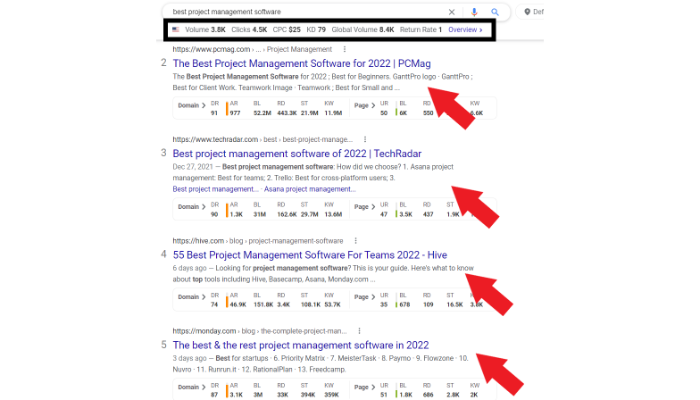
If you head over to Google right now and type in “best,” you’ll likely be greeted by a variety of products or services that complete the search query.
Best blender, best tackle box, best project management software, best HR management tool, and best Keurig K-cups are all popular Google searches. These are called review blog posts.
These blog posts provide a comprehensive breakdown of various goods and services. The goal is to write a better review than the current options on Google. You can do this by:
providing more valuable content than the top-ranking posts
having a better on-page experience than the top posts
ensuring your post has SEO than the top posts
For example, Google, “best project management software.” There are tons of reviews from popular tech websites breaking down the best software. You’ll also see this keyword has pretty high search volume, with as many as 4,500 clicks per month.
You’d potentially outrank these sites if you wrote an article about the best project management software that is more comprehensive—and you’d generate traffic to your website.
Start by looking at the current top-ranking blogs. Note things like:
how long they are
what headings they use
how many options they compare
Aim to make your post longer and more informative by covering more platforms, adding videos, even interviewing a few experts. The goal is to offer more value and slide into that top Google spot.
2. Break Down Complicated Processes Into Simple Steps
People turn to Google when they can’t figure something out. Think of how many times you’ve Googled how to cook a meal, unclog a tub, or use features in your favorite soft water platform. More than one billion Google searches per day are in the form of a question.
You could put together a guide explaining how to do something you’re interested in or knowledgeable about. The guide should outline all the steps the reader needs to accomplish whatever they’re trying to do.
Let’s use website loading speed as an example. This is a popular topic right now with core web vitals becoming more relevant.
Writing a blog post breaking down all the little things you can do to improve page speed makes the information easy to absorb and more actionable for readers.
Crazy Egg did a great job here by providing 20 ways to improve your website’s speed. When it’s broken down like this, it doesn’t seem like a huge task anymore. You could do each of these things one by one and gradually improve your page speed.
The best part about writing an FAQ blog post is you have a good chance of getting the featured snippet section on Google if the article provides a lot of value to the reader.
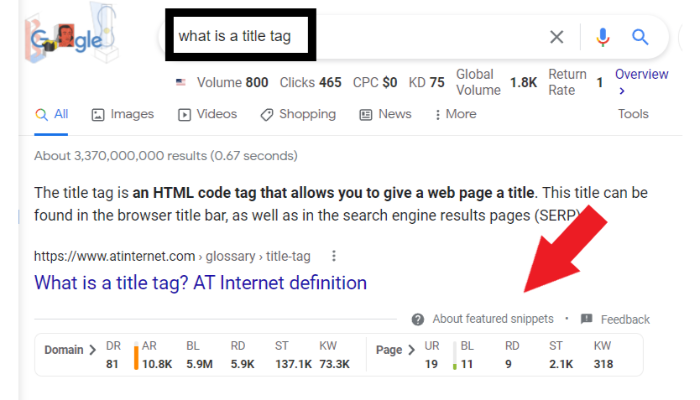
If I search “what is a title tag” on Google, I get a lot of search results because this is a frequently asked question. At the top, you’ll find a result where Google took the answer from the blog post and put it right there for the reader.
This is called a featured snippet, and earning a featured snippet spot is considered the “crown jewel” of SEO. Many factors determine what site earns the snippets, but in this case, atinternet.com answers the question right away, which could be why they are at the top.
There are a few ways to find frequently asked questions:
Do keyword research with a tool like Ubersuggest to determine frequently asked questions in your industry. Start by entering a generic keyword and find the long-tail questions that contain (or are associated with) that keyword.
Do a manual google search and look at the questions that autopopulate in the SERPs under the heading “People Also Ask.”
Use tools like Answer the Public to see what people are searching for in your industry.
After you compile the list of questions, manually search them in Google. See whice posts have earned featured snippets, and take the time to write a better answer than the ones provided. You can do this by answering more concisely, with better formatting, or using more accurate definitions.
4. “Ultimate Guide” Blog Posts
One great way to build authority for your website is creating ultimate guides. These guides exhaustively break down every step necessary to complete a task.
Thorough content, like that contained in an ultimate guide, is becoming the norm. As of 2021, the average blog post was over 1,400 words; longer than ever in the past. The same study found content that is 3,000 words or more tends to perform better.
You’ll want to provide plenty of graphics, examples, and analogies to make sure the reader understands.
The main thing to remember about ultimate guides is they should offer everything from A to Z. When the reader leaves, they should have everything necessary to accomplish their goal.
This guide literally covers everything from “what is local SEO” to implementing it, steps to take, how to maximize your potential, and more. The guide is long, but it offers everything you need, so there’s no need to go anywhere else.
An amazing ultimate guide is a great way to show your readers and Google that you’re an authority on the subject.
To create an ultimate guide, start by searching your core keyword, then look for “people also ask” question boxes and answer those too.
You can also use my free tool Ubersuggest to find related keywords, which might provide ideas for headings in your ultimate guide post.
Add detailed information in your ultimate guide posts, like supporting statistics, process breakdowns, and examples.
When you’re looking for blog ideas or topics, you want to make sure your content is relevant and in demand. One way to do this is by blogging about data relevant to your niche.
What do I mean by this?
Great data is factual information found through experiments, tests, and surveys. The more eye-popping the data, the more attention you’ll generate.
Creating blog posts by compiling a lot of data into one article is a great way to earn backlinks. Whenever someone is looking for data to add to their article, they’ll find that information in your blog post and ideally link back to your site.
Take this article on 99 mind-blowing digital marketing statistics as an example. It’s essentially a giant list of data on social media, content marketing, SEO, and more. It’s a great resource for people looking to gather data on this subject.
Brainstorm questions you can answer with either data you have on hand, or have the resources to research (i.e. conducting a survey). Use tactics like utilizing keyword research tools, conducting manual searches,
Carry out the analysis/survey.
Write a post that explains your results.
Be sure to include data visualizations!
6. Blog Posts With Tutorial Videos
As we all know, video is king. Ninety-seven percent of marketers use videos to help their customers better understand products and services. You should do the same.
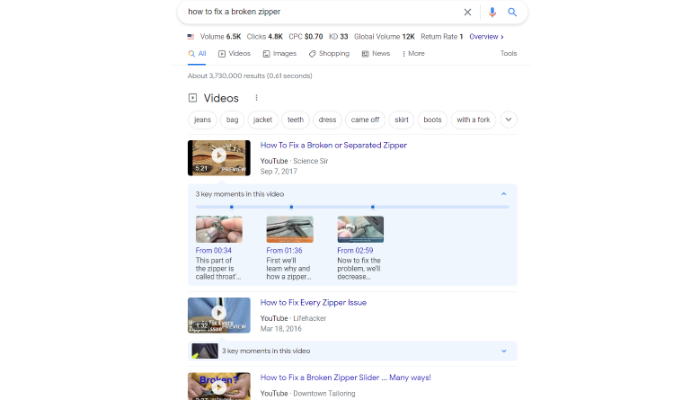
There’s a reason why Google displays videos as the first result of many “how-to” queries.
If you look at the picture, I Googled “how to fix a broken zipper.” Naturally, Google displays videos first.
It’s a lot easier to watch a video than read a blog article. That doesn’t mean that blogging about it is useless, though.
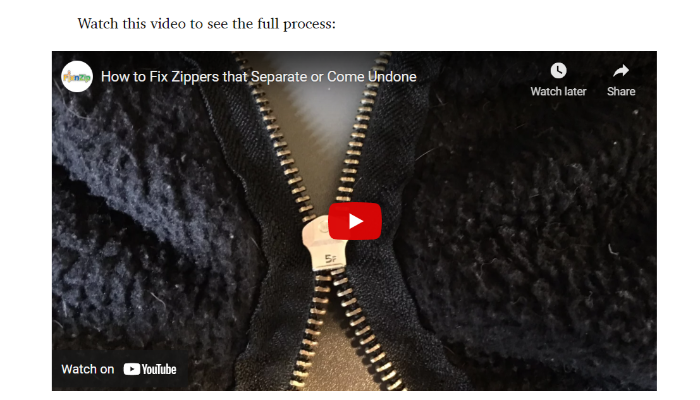
If we scroll down to the first search result and check out the blog post, we find a tutorial video in addition to a blog post breaking down how to do it.
Including videos in your blog posts is a great way to provide more value to your readers and make Google happy.
Here’s how to get started creating videos for your blog:
Dig into your analytics to identify your most popular content. Make a list of possible tutorial topics based on what you find. For example, if your top content is about blog post ideas, you may make a tutorial breaking down popular methods for brainstorming and identifying blog topics.
If you still need ideas, use the same methods we suggested for finding frequently asked questions. Identify questions that relate to procesess, which you can showcase in tutorial videos.
Include video transcripts for accessibilty and SEO.
7. Incorporate Trends Into Your Blog Posts
It’s no secret that trends come and go, but you can snag some decent traffic by writing about current trending topics in your industry.
The keyword “trends” paired with industry terms like “social media,” “marketing,” “hair color,” etc., account for millions of Google searches per month. This shows you have a great chance of capturing traffic if you cover trends in your industry in your blog posts.
Google Trends is a great way to figure out what’s hot and what’s not in the current climate.
Head over to trends.google.com and type in a topic you’re curious about or search currently trending searches.
At the time of writing this, a popular topic from Google Trends is New Orleans Saints coach Sean Payton retiring from the NFL. If you’re a sports blogger, you can do what Sportingnews.com did and write about the coach’s retirement.
Writing about trending topics will force you to be vigilant about what is happening in your industry, and you’ll have to be ready at any moment to research and gather the latest scoop if you plan to generate traffic to your blog.
Also, make sure to only write about trending topics your audience cares about. A women’s haircare site, for example, isn’t likely to get much traffic writing about a coach’s retirement (unless it’s a haircare site targeting sports fans!)
You can also use keyword research tools and plugin “trends” and see what topics come up related to your industry. Google searches with the year tacked on to the search query also receive a lot of searches. If you choose to do this, think about how the content will play into your strategy on evergreen content (for example, will you update the post under the same URL each year?)
8. Industry News
Forty-one percent of blogs report on industry news. News blog posts might not be the greatest for SEO, but they generate a very loyal audience that hangs on your every word, and could indirectly boost your position in the SERPs.
This one is similar to the previous example, but there’s a core difference. Trending topics means sharing information your audience is likely to be interested in. With news, you share the news and offer up your thoughts and opinions.
Vox is an interesting example of this. Instead of just highlighting the news, they offer opinion pieces on how they feel about it.
You can take the same approach to your industry, by sharing your thoughts on trends and news. Use the methods we outlined for finding trends in your industry, and then report on them.
You can also set Google alerts for search terms related to your industry, and have plans in place for quickly producing content that reports on events that happen in your field.
You should also be sure to follow organizations, conferences, and research publications related to your field so you can be the first to report on breaking industry news.
Part of what makes a good blog is building an audience of readers that check back regularly to see if you’ve posted something.
Blog posts that take a strong stand can also generate social shares and backlinks. You could write about the latest trends in social justice, whether it be in women’s rights, LGBTQ+, or racial injustice.
The key here is to be yourself and not be afraid to stand on one side. We live in a relatively divided world, so standing up for something you believe in is admirable. Blogging about these topics is a great way to generate a loyal audience and build an email list.
Campus Pride is a popular blog/organization that focuses on the acceptance of the LGBTQ+ community on college campuses. They write about topics centering around mental health, campus safety, and career development.
Be sure to take an authentic stance if you’re going to incorporate social justice topics into your blog.
Think about not only what issues matter to you, but also what issues make sense for your brand to post about. For example, Patagonia is an outdoor apparel and equipment retailer. It makes sense that they align themselves with environmental issues, like sustainability and conservation.
You can find a trending cause that you’re interested in and start compiling blog post ideas that showcase your stance on the issue (while also providing value to the user). Leading the pack and standing for something can have a major impact.
A listicle is a simple but effective blog post format. It lists out a series of items, places, things, services, and pretty much anything else you can think of.
Here are some great listicles to inspire your own:
The reason listicles are so popular is that they’re skimmable and easy to absorb. Humans have an eight-second attention span. That means you need to grab attention fast and work to keep it. Listicles are a great way to draw readers in and give them what they want.
To create listicles, do keyword research using any of the methods we’ve already outlined and identify topics that can be made into lists. An example is this very post! We knew our audience searches for help with blog topics (the keyword “blog topics” has 1000 monthly searches). Blog topics is a keyword that fits the list format well.
This is why putting together a blog post that breaks some common myths in your industry is a great way to draw in traffic.
For example, I’d be interested in an article outlining myths about entrepreneurship. Many people think entrepreneurs sit on beaches and drink margaritas all day, when that’s not really the case.
To create a fact-checking post:
Come up with a list of the most common myths in your industry.
Do some keyword research around the myths you choose to find titles, headers, and specific angles to cover.
Write an article debunking some of those myths.
12. Provide Niche Advice
Have you ever felt alone or like no one understands you? A lot of people feel that way and turn to Google or YouTube to ask questions and figure out if others feel the same.
Parenting blogs are a great example of this. When we’re constantly looking at social media and only seeing the best of everyone’s lives, it’s easy to feel insecure or insufficient in our own lives.
Mom blogs like At Home With Natalie offer an insight into the life of a young mom while also providing advice, products, and services that moms can use.
It’s okay if you’re not a parent; advice blog posts can cover a wide range of topics, including travel, cooking, mental health, DIY, SEO, and more.
Pretty much any topic will have some challenges, so think about where people struggle and offer solutions.
To find niche topics to provide advice on, search Quora, Answer the Public (or a similar tool), use your own knowledge, or do research on longtail search queries.
13. “Best of” Blog Posts
Best of blog posts round up the best items in a specific niche and break down the pros and cons. I love this idea because it can be used in any industry. This type of post is popular; 24 percent of bloggers publish roundup posts.
Blog about the best movies, songs, video games, cars, hotels, restaurants, colleges, SEO courses, keyword research tools, computers, the list goes on and on.
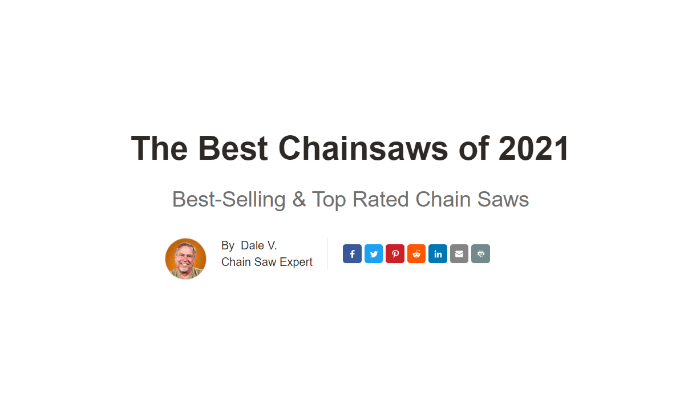
Google “best chainsaws 2021,” and you’ll see a bunch of home improvement and DIY blogs. Chain Saws Direct put together a blog post compiling their favorite chain saws of 2021.
You can literally do this for anything as long as there is traffic around that keyword.
Break down the features, benefits, pros, and cons of various goods and services. You might hear them sometimes called “product roundups.” It’s a great blog post idea for beginners because you don’t need the products in hand to do the reviews.
Thirty-four percent of bloggers publish interview posts. Interviewing an expert builds authority for your blog while also name-dropping someone who might be more popular than you.
This happens a lot in the SEO industry, and you can find SEO experts interviewing other SEO experts; it goes back and forth.
Here’s an interview I did with Groove HQ that resulted in 1929 shares for their website.
You want to find an expert in your industry that people know, reach out to them, and see if they’ll answer some of your questions. To find an expert:
search LinkedIn
look at membership of professional organizations in your field
look at authors of popular studies or articles in your field
join or follow social media groups/accounts dedicated to your field and find the authority figures or ask for referrals
Make sure to make it easy for them. Don’t expect the expert to spend a ton of time on you, so you need to present the questions in a simple format, like a Google form.
Be sure to ask questions your readers want to know, not just the questions you want to know. To find these questions follow our previously-suggested methods of searching quora, using a tool like Answer the Public, or carrying out keyword research with a tool like Ubersuggest.
Once you have everything together, you can compile it into a blog post that provides value and insight for your readers.
15. Blog Posts on Topics Driven by Your Users
Are you looking for blog ideas? Why not ask your readers?
Turn to the social media channels your audience uses and ask what they want to read about.
Once you’ve determined some topics your readers are interested in, do keyword research around the topics to see if there is search volume. If there is, you found yourself a brilliant blog idea.
16. Compare Two Similar Products or Services
Forty-one percent of bloggers publish opinion posts. One type of opinion post could be comparing two things in a versus format—Coke versus Pepsi, iPhone versus Android, or Mac versus Windows for some obvious examples. Of course, you’ll have to ensure it’s relevant to your niche.
These comparison articles break down the features, benefits, pros, and cons of each tool to help the reader decide which one they should use in their business.
You can do this for any niche as long as there is search volume around the topic. Figure out what people are comparing in your industry and write a comparison article about it.
When was the last time you read a story about someone accomplishing something great? How did you feel after you read it? Were you motivated to strive towards that level of greatness?
Blog posts that share stories and inspire others can be powerful. They help build a strong audience and develop a bond between the writer and their readers.
While it might not be a blog, David Goggins does this so well. He is amazing at telling people about his story and how it inspired him to become who he is today. It’s led to an incredible book, business, and speaking arrangements.
People want to hear about others overcoming challenges. It inspires them to keep pushing and overcome their own challenges.
Tips for stories:
Take your experiences in the field and what you’ve learned and put it on the page.
Think about how you came to start your blog (or brand in general). Tell your story!
Write about mistakes you’ve made and the lessons you’ve learened.
18. Blog Posts About Blog Posts
Seventy-six percent of bloggers publish how-to articles. Since you run a blog, why not write a post about how to start one?
This idea is what you’re reading right now. You’re reading a blog post about how to write blog posts. Here is another post about writing blog posts.
If you’re a blogger and you’re struggling with ideas, you could always put together a guide explaining to others how they can start their own blog. Tell the reader about how to use their interests and experiences to make money writing about it.
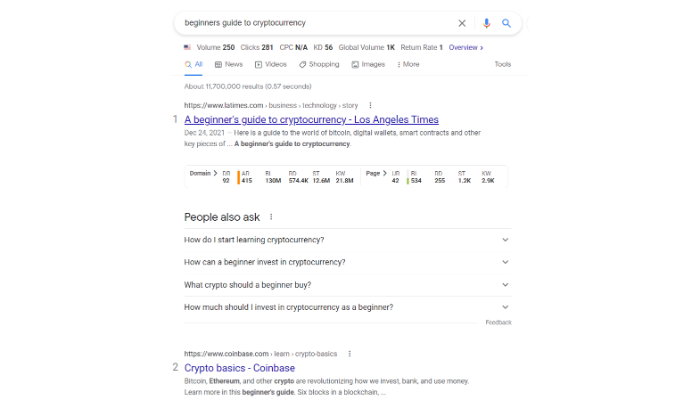
Everyone starts somewhere. By calling your blog post a “beginner’s guide,” you can make an intimidating topic easier to tackle.
Let’s take cryptocurrency, for example.
Crypto is an incredibly popular topic but also pretty complicated.
If you could put together a value-packed beginner guide that breaks down the basic steps you need to get started, it could act as a springboard for someone to jump in and find success.
Keep in mind that a beginner guide is not an ultimate guide. It doesn’t have to cover everything; it just needs to help people get started.
When creating this type of post, consider adding simple, step-by-step instructions; background information on basic concepts; and links to more detailed/advanced information.
20. Case Studies
Blog posts about firsthand case studies are a great way to increase your authority and get backlinks.
Sometimes it’s easier to learn and absorb something when you see how someone else did it. A case study documents the steps of a journey for the reader to see how you did it. You can do it yourself, or you can do a case study on someone else.
It’s not necessarily about the person, though; it’s more about the process. You can do a case study on anything, whether it be business, fitness, SEO, diet, or personal finance. Some examples may be:
How I saved $50,000 in six months
How I lost 25 pounds in two months
What I did to increase my energy in only four days
Let’s use an SEO case study, for example.
Growth Machine did a case study where they outlined how they went from 0 to 150,000 visitors per month in only eight months. They explain all of the steps it took to accomplish that goal.
Case studies prove that certain things are possible. It’s one thing to tell someone how to do it; it’s another thing to show them that you did it. Case studies require a lot of time and significant investment, so I wouldn’t recommend this strategy until you have an established blog.
To do a case study post:
Research common questions/problems in your industry.
Identify the ones you have the resources to study. For example, you either have access to the data (or tools you need to pull the data), ability to do a survey on the topic, or the resources to put together a study.
Do the study/analysis and identify the most interesting conclusions.
Write a post on your findings.
Include data visualizations.
21. Behind the Scenes Blog Posts
I love businesses and brands that show their personality. Doing a blog post about your business, your employees, or yourself is a great way to pull back the curtain and show readers that you’re a real-life person.
Not only does it make the employee feel valued, but it’s great for brand awareness and recruitment. These types of blog posts also generate a lot of social shares, which can help foster new relationships. Walmart does this with a cultural diversity and inclusion article.
Adding quizzes to your blog posts is also a great way to incorporate some personality into your site. While people love reading your content, it can become monotonous after a while. Interactive content like quizzes or surveys can keep readers engaged.
BuzzFeed is notorious for its quizzes. Their quizzes range from finding your celebrity look-alike to compatibility tests. Find out what your audience is interested in and put together a simple but entertaining quiz for them.
23. Blog Posts About Productivity and Time Management
Make sure to focus on your niche while writing about saving time. If your audience is mostly moms with families, ensure that the tips apply to the typical lifestyle of a busy mom. If your audience is college-aged students, talk about things like commuting, studying, focusing, and limiting distractions.
24. Cover Controversial Topics
Writing editorial articles about controversial topics isn’t always easy, but it can generate attention when written to the right audience. If you’re interested in politics, gender equality, abortion, religion, or similar topics, you could write about that.
Blog about what’s currently happening with the topic, what’s trending, and how it’s impacting the country. When writing about controversial topics, it’s usually best to present the topic as an unbiased mediator. You’re simply bringing the information to the people without an opinion.
Of course, you can take a stand if that’s what you want to do. Equality Now speaks out on issues such as sexual abuse against women. If there’s a cause that you support or are interested in, you can write about it in your blog.
While I promote writing mostly evergreen content, there are certain exceptions – and holiday content is one of them. You can find ways to incorporate holiday-specific content within your niche. For example, if you have a fishing blog, you might want to put together an article about the “top fishing gifts.”
No matter what niche you’re in, you can find a way to write holiday content. You could even focus on smaller holidays such as Valentine’s Day, Mother’s Day, or Labor Day.
If you are an e-commerce brand, think about what products you sell that appeal to people during the holidays. You could also create a blog post that discusses products/deals in your industry during the holidays.
Blog Ideas Frequently Asked Questions
What should I blog about in 2022?
Blog about your interests, hobbies, and expertise. Industry trends and how-to guides are also very popular. There are no limitations on blog ideas so find something you love and start a blog about it.
Should I use tools to come up with blog ideas?
Yes, you need keyword research tools like Ubersuggest to help you develop topics with search volume. If you’re struggling to get your blog off the ground, we can help.
What blog ideas are trending right now?
Any blog idea can be popular with the right audience, but lifestyle, health and development, travel, and self-care blogs are the most popular niches in 2022.
How many blog ideas should I have?
I recommend having at least a month’s worth of blog ideas planned out before starting. This ensures you have a backlog of ideas if you fall behind or get busy on other projects.
Conclusion: Blog Ideas
This exhaustive list of blog ideas should help you figure out what you can write about. Take some of the ideas and plan out your content calendar. Be sure to use a variety of options to keep things fresh and interesting for your readers.
Remember, coming up with topics is the hard part but always put your interests first. If you’re blogging about something you love, it’ll be much easier to write consistently.
Provide value to your readers, conduct proper keyword research, and always follow the basic principles of SEO.
Out of all the blog ideas in this guide, which one is your favorite? Why?
from Neil Patel's Digital Marketing Blog https://ift.tt/hHERiSd
via IFTTT